Troubleshooting Sites, Scans And Runs
Every message Protuno can show on its own side, what it means, and the shortest way past it.
On this page
- A site says it is not answering
- Protuno’s password no longer works
- “Invalid site URL. Use a full URL like https://yoursite.com”
- “Could not read yoursite.com from here”
- A playbook is greyed out on one of my sites
- A run failed and every step says “BROKEN CHAIN”
- A routine never runs
- The scan still shows domain-only results after connecting
- Your AI app cannot see Protuno
- Still stuck
Every message Protuno can show you on its own side, what it means, and the shortest way past it. The plugin has its own troubleshooting page for messages that appear in wp-admin.
A site says it is not answering
“WordPress stopped answering” on the Connectors screen, naming the sites. This is the most common state you will meet, and it almost never means Protuno is broken.
It means the application password Protuno holds no longer works, or the site itself is unreachable. Common causes, in order:
- The password was revoked or regenerated in WordPress and the new one was never pasted into Protuno.
- The Protuno plugin, or the MCP connector it depends on, was deactivated or deleted.
- The site is a staging or sandbox install that has expired.
Open the site and press Reconnect this site. The project, its history and its findings all stay; only the credential is replaced.
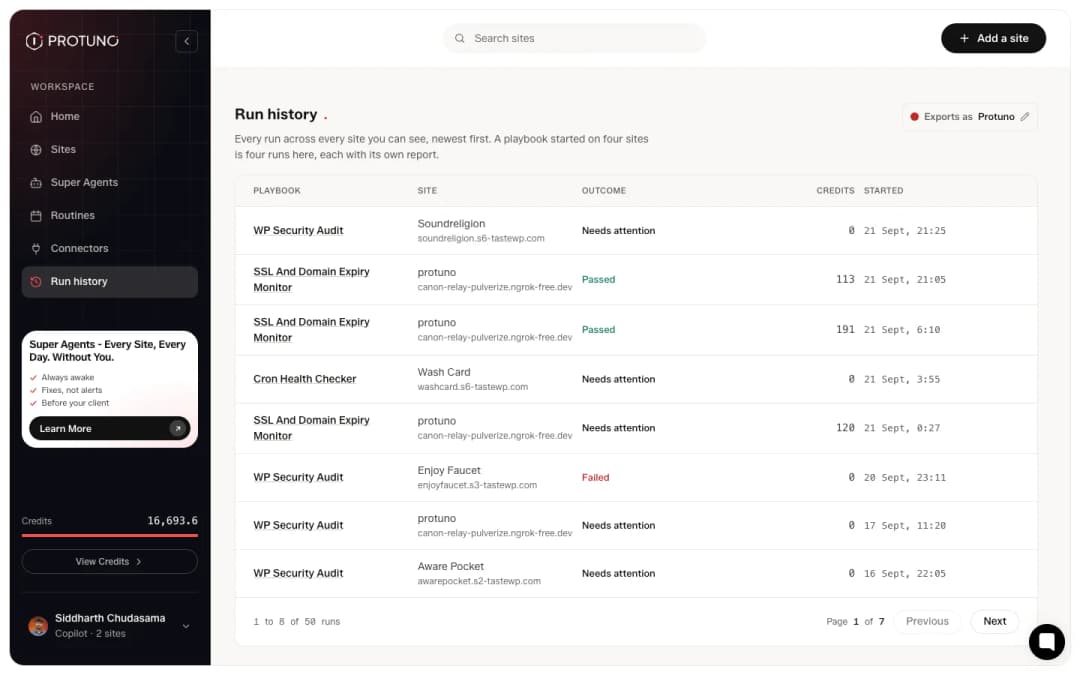
Protuno’s password no longer works
The site page says the site is answering but the credential has been revoked or replaced. Same problem from the other end, same fix: reconnect and paste a fresh application password from the plugin’s own screen.
Delete project sits next to it. That is not the fix. It throws away the site’s history.
“Invalid site URL. Use a full URL like https://yoursite.com”
On the add-site screen, when the address was entered without a scheme. Enter the complete address including https://. The field accepts a bare domain for the check step, but the connect step wants the whole URL.
“Could not read yoursite.com from here”
A warning, not a blocker. It means the check could not reach the site from where Protuno ran it. Carry on and connect; the connect step will say if something is genuinely wrong. Plenty of sites that report this connect perfectly.
A playbook is greyed out on one of my sites
On a playbook’s page some sites are switched off and unclickable, each with a reason. The reason is almost always the same one: the site is not connected.
Every playbook needs the plugin, including the ones that only read. A playbook step does not reach the address the way the free audit does. It goes through the site’s connection, so on a site with no connection every step would print “No site connected for this project” and the run would finish having done nothing. Connecting is also what proves the site is yours; an address on its own is a URL somebody typed.
The wording changes to say which kind of playbook it is (“because this playbook changes the site”, “because this playbook runs code on the site”), but the gate is the same in all three cases. Connect the site and the toggle becomes available.
A run failed and every step says “BROKEN CHAIN”
The first step could not establish any facts about the site, so everything after it had nothing to work with. Each following step says so by name, for example “BROKEN CHAIN, missing PREFLIGHT from Node 1”, and stops rather than guessing.
The usual cause is an address that answers, but not as WordPress: an expired staging sandbox serving its host’s landing page, or a holding page in front of the real site.
The report says so explicitly and refuses to produce a score. A run that could measure nothing does not get graded.
A routine never runs
Routines are on Pro and Agency, and they run as a scheduled task in your AI app. Check that you added the routine’s task in your AI app after you saved it: Protuno does not warn you when the task is missing. Claude needs a paid plan for scheduled tasks.
A different line, “Last scheduled run did not start: site read-only”, means the routine fired and was refused because the playbook can write and the site is in Read only. If this is your live site, leave it in Read only and put the routine on your staging site instead. If it is your staging site, switch it to Execute.
The scan still shows domain-only results after connecting
The deep scan runs on connect and takes a minute or two, longer on a large site. If the count stays at the domain-only figure, the credential was accepted but the connector is not serving. Open the Protuno screen in the site’s own wp-admin: it names the connector that is serving, or says it is not running, in which case the connector plugin has been deactivated.
Your AI app cannot see Protuno
If your AI app says it has no Protuno tools, the connection did not finish. Open AI apps in Protuno to see the apps you connected, then connect the app again. Reconnecting the same app replaces the old connection rather than adding a second one.
Still stuck
Email [email protected], any day of the week, with the site address and the run that went wrong. Every run has its own report and a link you can paste.
Comments