The Protuno Plugin, Explained
It connects one WordPress site to Protuno. Here is what it installs, what it deliberately leaves alone, and where an agent’s access on your site actually comes from.
On this page
The Protuno plugin is the one thing you install on a WordPress site to connect it to Protuno. Install it on your staging site first, because that is where Protuno does the work. It is small on purpose.
It does three jobs on one screen in wp-admin, then it gets out of the way. It never keeps a copy of the password it makes.
This page covers what those jobs are, what the plugin leaves alone, and where the real access comes from.
Three jobs, one screen
Everything happens on one screen, under Protuno in the wp-admin menu. It opens by itself the first time you activate the plugin.
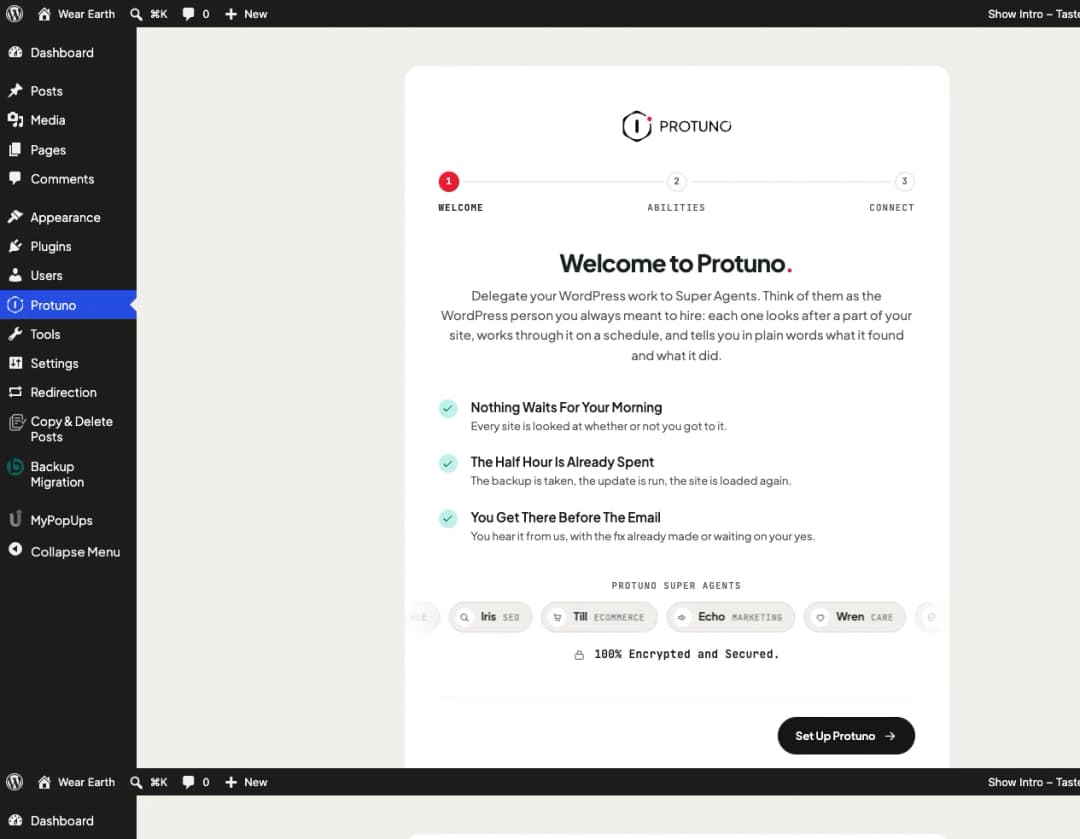
Step one: It checks what your site can expose
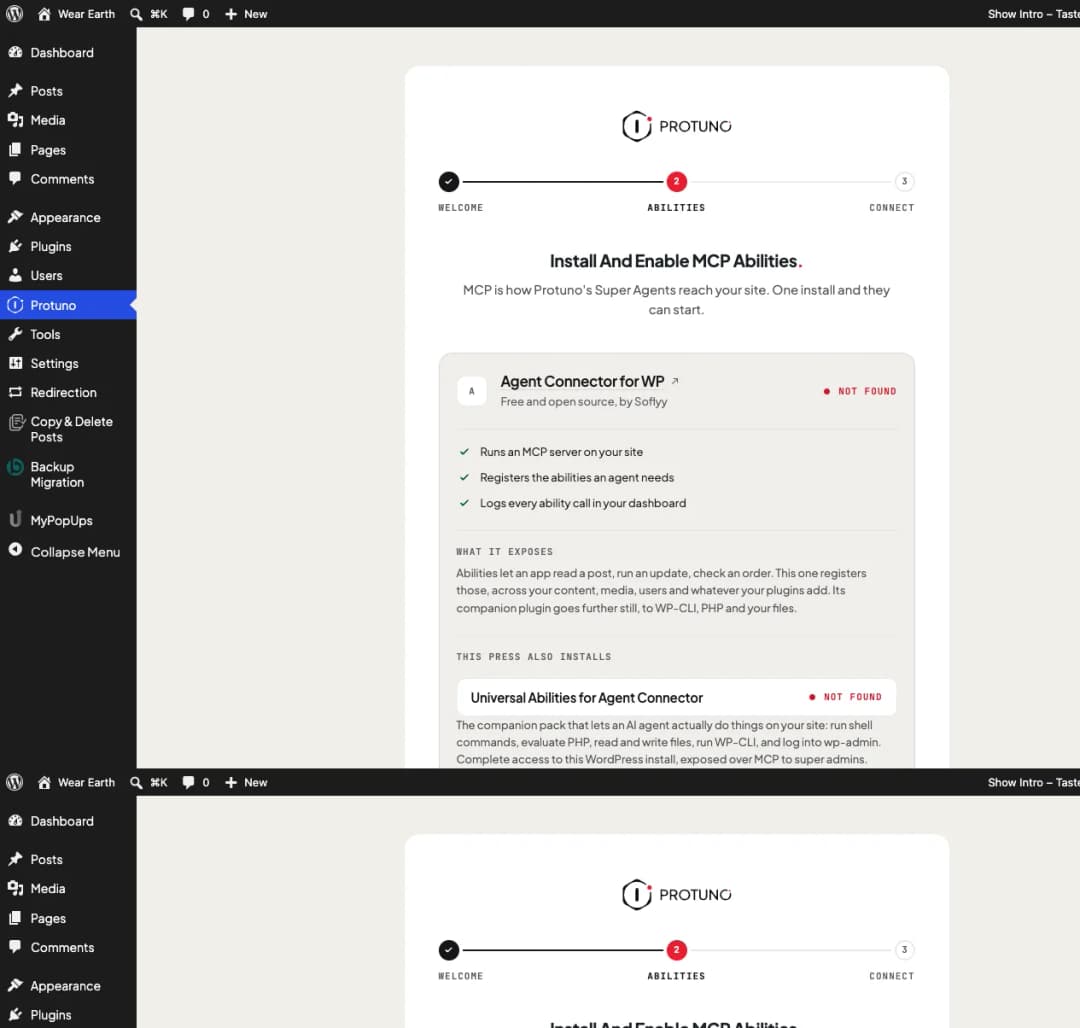
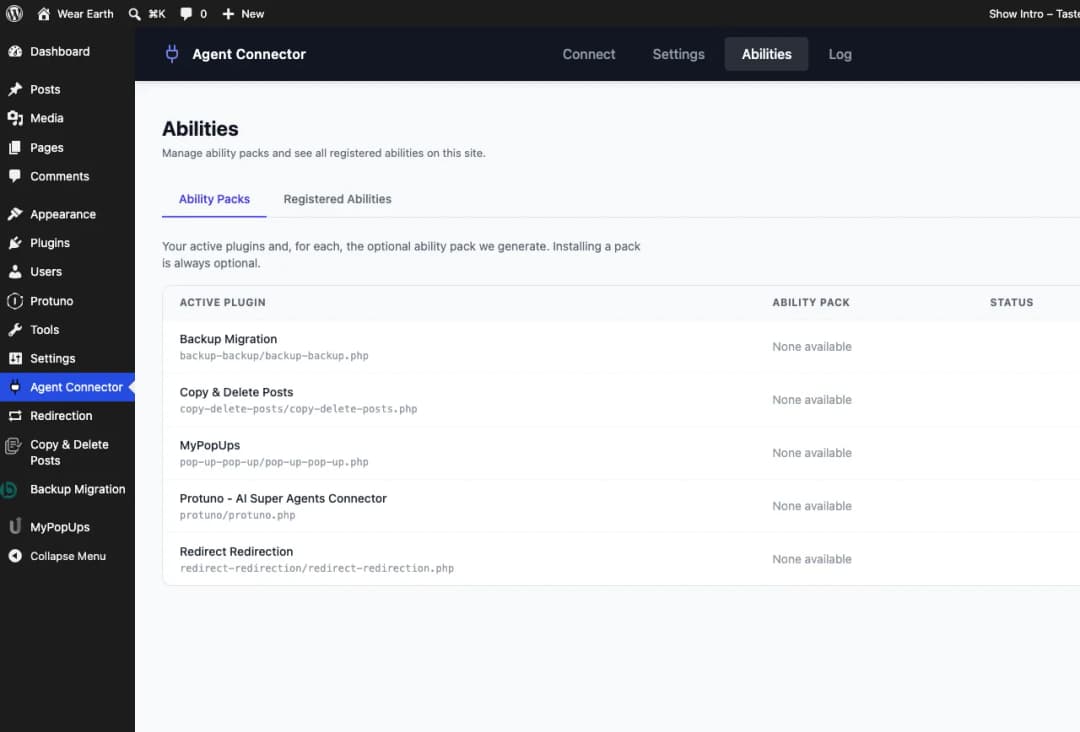
Protuno’s Super Agents reach a site over MCP, the protocol apps use to call the abilities a site offers. The plugin does not run MCP itself. It looks for a connector that does: Agent Connector for WP, Angie or Novamira.
If none is there, it installs Agent Connector for WP with one press. If one is installed but switched off, it switches it on. If more than one is running, it asks you which one Protuno should use.
Step two: It creates the credential
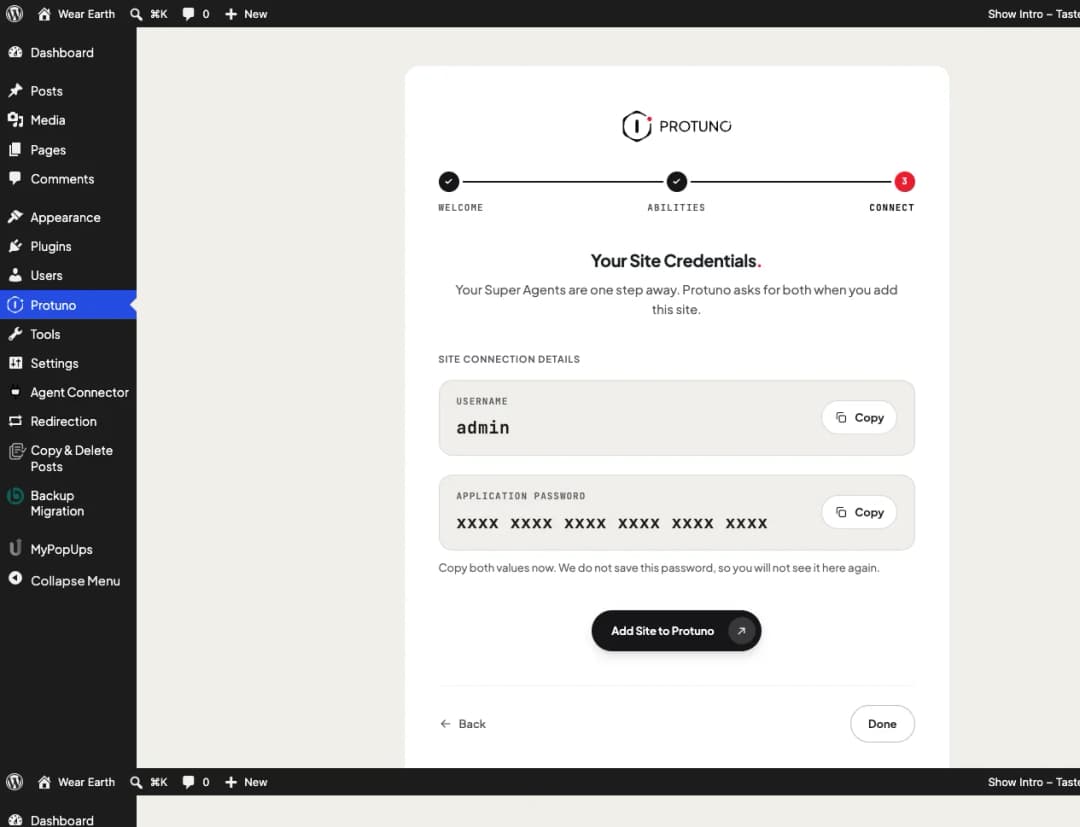
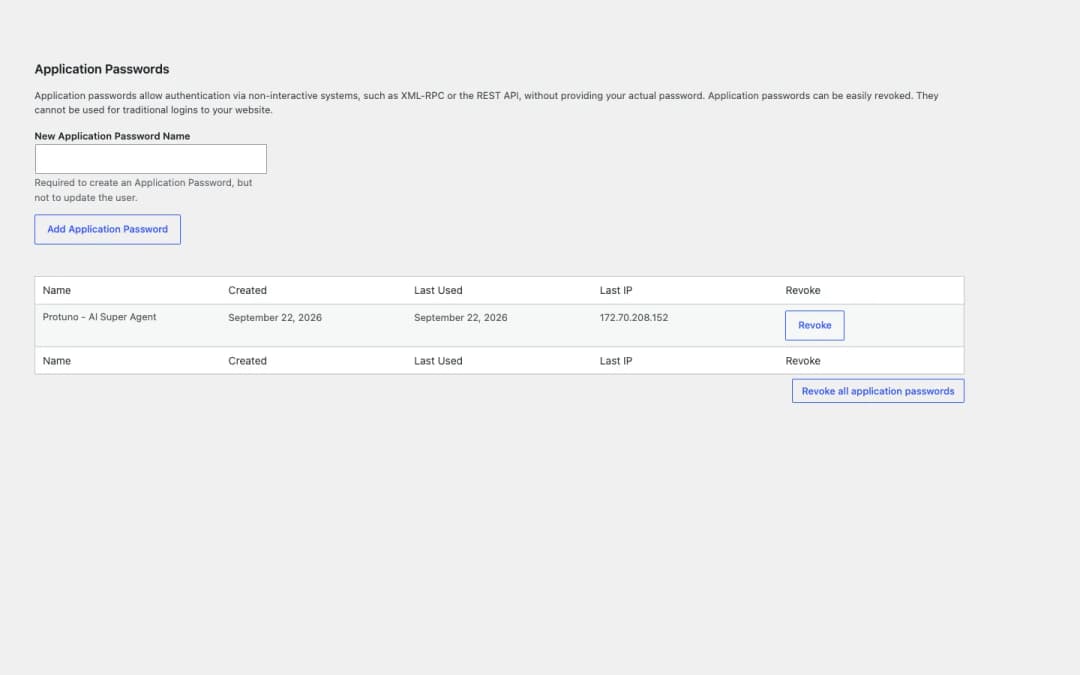
When you press Continue, the plugin creates a WordPress application password named Protuno - AI Super Agent and shows it to you, with your username, once. You paste both into Protuno when you add the site.
Step three: It reports the connection
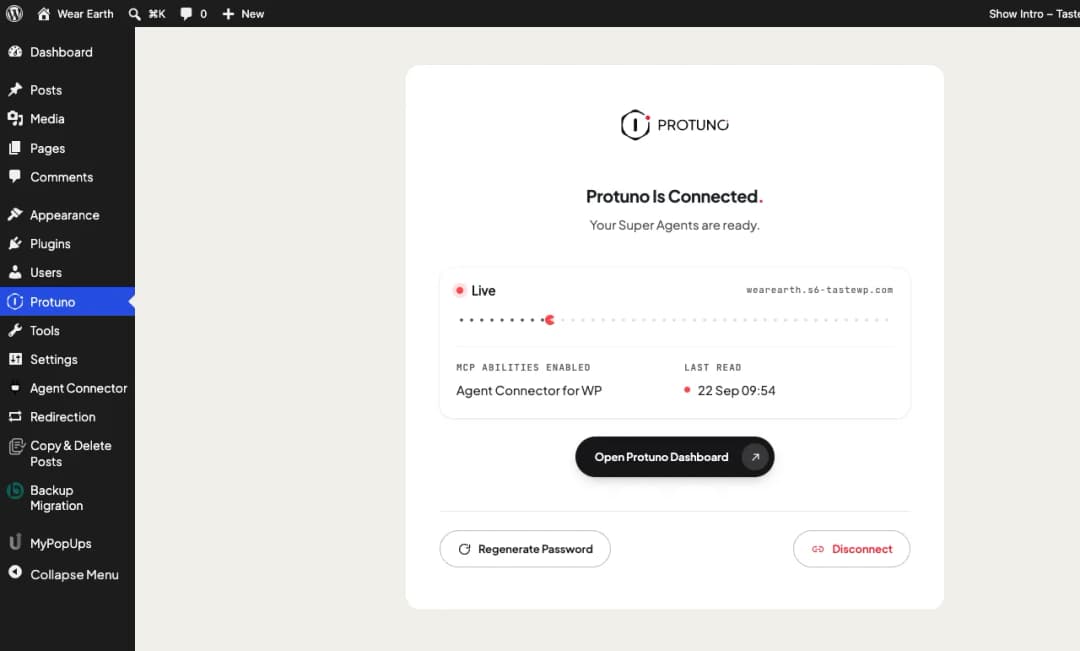
After that, the screen becomes a status page. It says whether the site is Live, Waiting or Disconnected, and when Protuno last read it. From there you can make a new password or disconnect.
What it does not do
The plugin connects. It does not act. That line is drawn in what it is built to do, not in a setting.
- It registers no abilities and runs no MCP server. Everything an agent can do on your site comes from the connector you enable.
- It runs nothing for a remote caller. It executes no PHP, reads no options and lists no plugins for anyone outside wp-admin.
- It keeps no copy of the password. WordPress stores only a hash of it, the way it does for every application password.
- It creates no tables, no logs and no user meta. It writes five small options, and deleting the plugin removes them.
The plugin is the doorway, not the room. What Protuno can do on your site is set by the connector you enable, and the screen shows you that before anything is granted.
How the pieces fit
Four things are involved in a connection. Only one of them is this plugin.
| Piece | What it does | Where it lives |
|---|---|---|
| Protuno plugin | Checks the site, creates the credential, reports the connection. | Your site |
| MCP connector | Runs the MCP server and registers the abilities an agent can call. | Your site |
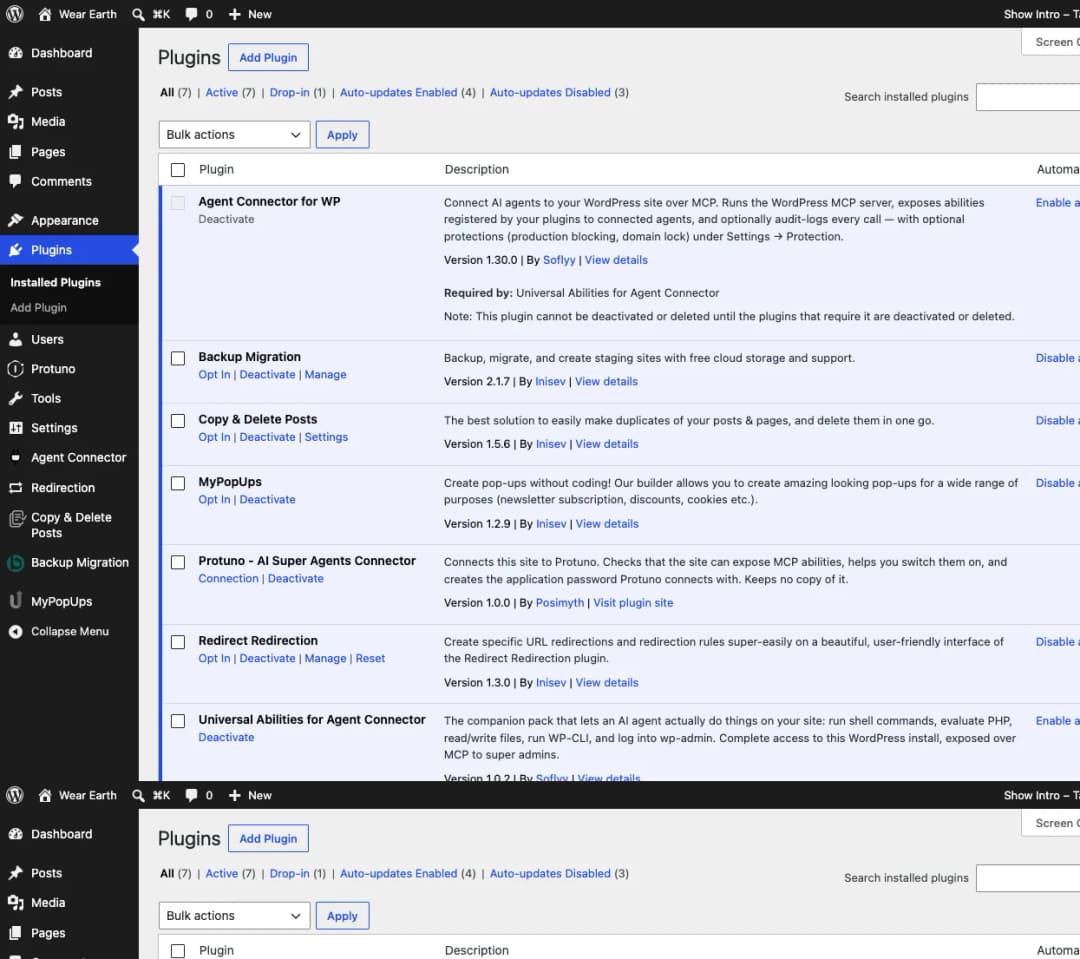
| Universal Abilities | An optional pack for Agent Connector that lets an agent change things, not just read them. | Your site |
| Protuno dashboard | Where you paste the credential, approve each change and read every run. The Super Agents work from your AI app, through Protuno. | protuno.com |
Universal Abilities, said plainly
When the plugin installs Agent Connector for WP, the same press adds Universal Abilities, its companion pack. It lets an agent run shell commands, evaluate PHP, read and write files, run WP-CLI and sign in to wp-admin.
That is complete access to the install, and the screen says so before you press and again after. That is the reason to do the work on your staging site. Every call is logged in your Protuno dashboard, and you can switch the pack off under Plugins at any time. Agent Connector keeps working without it; your agents can then read the site but not change it. If you also connect your live site, consider switching the pack off there.
One server, and only that one
If your site runs more than one MCP server, you choose which one Protuno uses. Protuno’s password is then refused on every other MCP route on the site. Your own logins and any other application passwords are not affected.
You hold the key
The password belongs to your WordPress user and lives in your site. You can end the connection from either end, without asking us:
- Press Disconnect on the Protuno screen in wp-admin.
- Or open Users, Profile, Application Passwords and revoke
Protuno - AI Super Agent.
Either way the connection stops at once.
Deleting the plugin does not revoke the password. It removes the plugin’s own settings, but the connection keeps working until the password is revoked. Disconnect first if you want both gone.
Where to go next
- Install and connect a site, starting with your staging site, from the requirements to the word Live.
- MCP connectors and abilities, and what to read before you leave Universal Abilities on.
- Manage and secure the connection: rotate the password, disconnect, or revoke it from your own profile.
- Troubleshooting, which lists every message the screen can show and the shortest way past it.
Comments