Till: The eCommerce Super Agent
Till looks after eCommerce: 1 playbook, all of them read only. What each one does, and how to ask Till for a job.
On this page
Till is Protuno’s WooCommerce Super Agent: its read-only WooCommerce Health Review checks stuck and failed orders, payment gateways left in test mode, stock, webhooks and store pages. Ask it in Claude, Claude Code, Codex or Cursor, for example “Any orders stuck this week?”. A playbook that changes the site takes a backup first, and in Approval mode it waits for your Approve in Protuno.
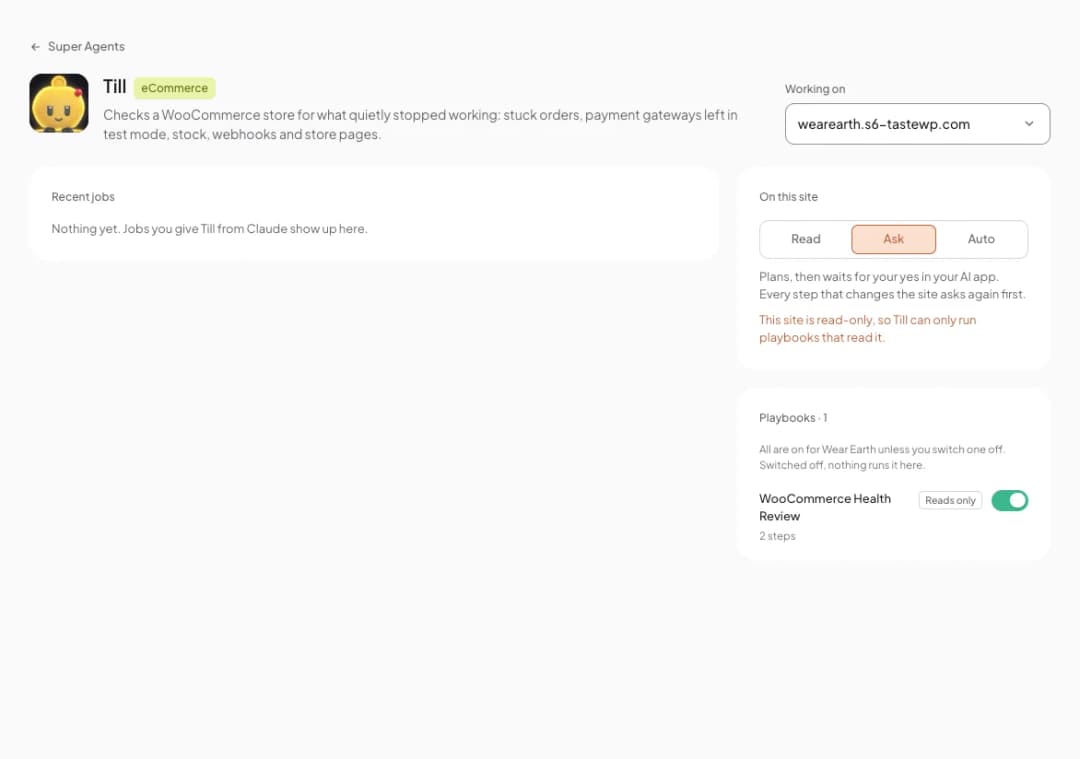
Till looks after eCommerce. Checks a WooCommerce store for what quietly stopped working: stuck orders, payment gateways left in test mode, stock, webhooks and store pages.
Ask Till in your AI app, for example “Till, check my store for stuck orders”. Till plans the job and runs the playbooks one step at a time. In Approval mode a run starts only when you press Approve in Protuno; in Auto mode it starts on its own, with no approval.
Till’s playbooks
Till has 1 playbook, and it only reads the site.
| Playbook | Reads or changes | Steps | What it does |
|---|---|---|---|
| WooCommerce Health Review | Reads only | 2 steps | Checks a WooCommerce store for what quietly stopped working: stuck and failed orders, payment gateways left in test mode, stock, switched-off webhooks and missing store pages. |
On Till’s page
Pick a site under Working on. Recent jobs shows what you gave Till from your AI app. On this site sets its mode there: Read only, Approval mode or Auto mode. Every playbook is on for that site unless you switch it off.
Comments