WordPress Staging Site: What Drifts From Live.
A WordPress staging site stops being a safe test the moment it stops matching live. Six things drift first, and how to compare the two honestly.

The update passed on staging. You pushed it to live. Live broke.
Nobody did anything wrong in the update itself. The test was honest. It was just run against a site that had quietly stopped being a copy of the one that matters.
That gap has a name worth using with clients: drift. A WordPress staging site and its live twin start identical on the day the clone is made, and then they separate, one small change at a time, until the test tells you about a site that no longer exists.
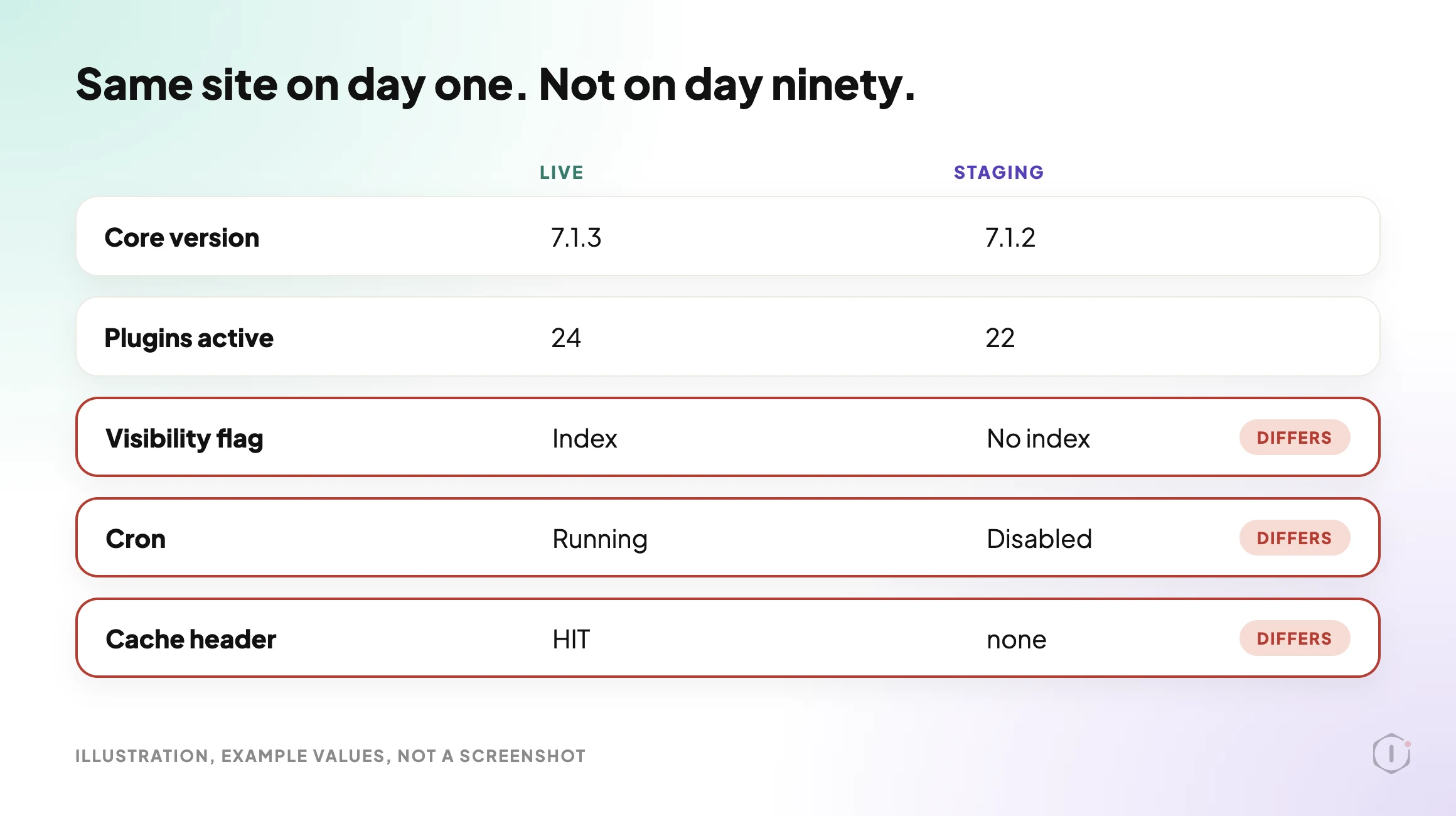
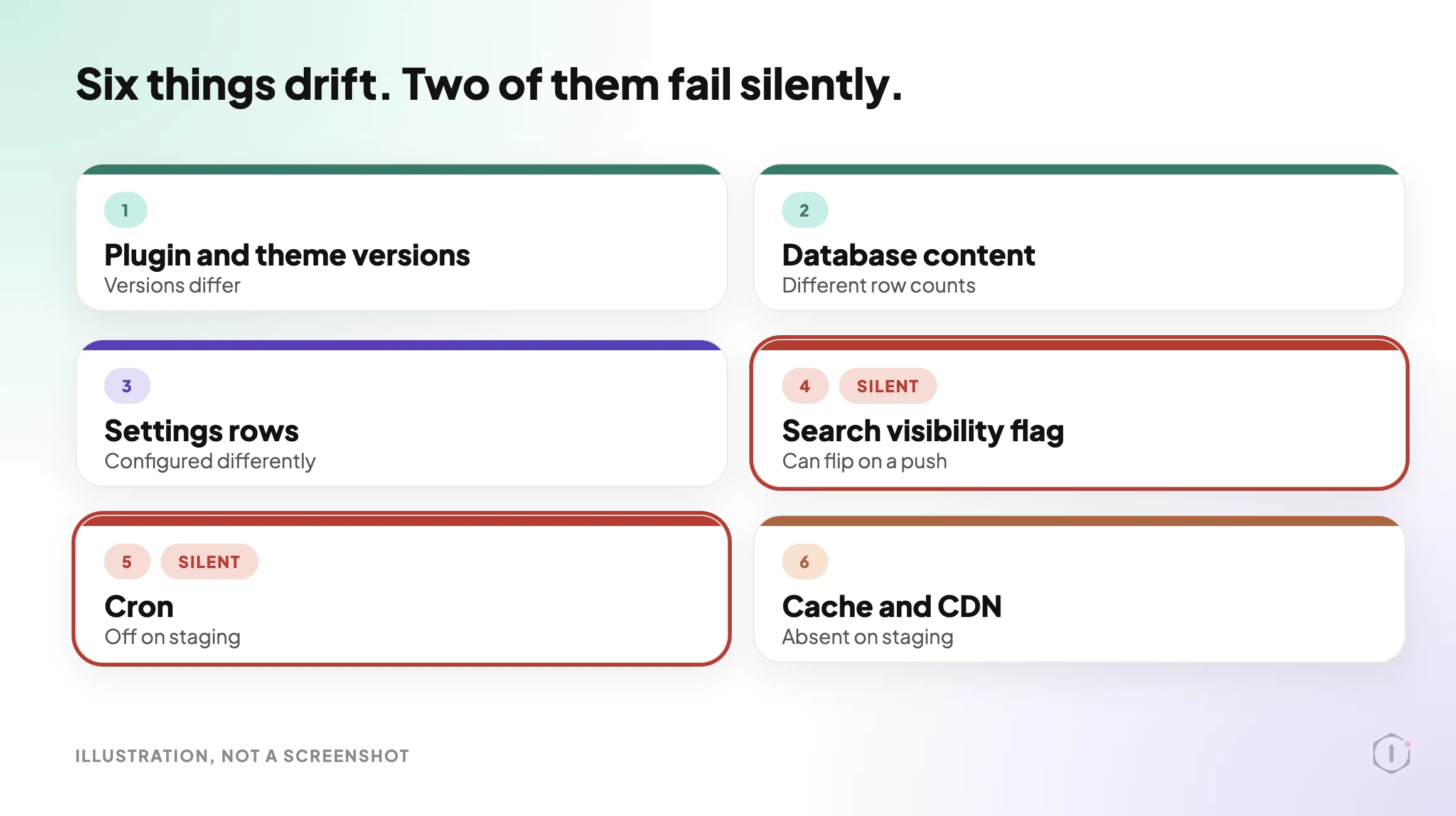
Short answer: a staging site is only as useful as the distance between it and live, and that distance is measurable. Before you trust a staging test, compare six things: plugin and theme versions, database content, settings rows, the search engine visibility flag, cron, and the caching and CDN layer. If any of them differ in a way that touches the change you are testing, the test proved less than you think.
What this post is, and is not: this is a comparison routine you can run yourself on two sites you control, from outside and from inside. It is not a claim that a matched staging site makes an update safe, and it is not a review of any specific host’s staging feature. Hosts implement staging differently, so confirm how your own host’s push behaves before you rely on it.
Why A Matching Staging Site Stops Matching
Nobody decides to let staging drift. It happens because the two sites are used by different people for different reasons.
Live gets content. Orders, posts, form entries, new users, a plugin the client installed after seeing it recommended somewhere. Staging gets experiments. A theme tweak nobody reverted, a plugin activated to test one thing six weeks ago, a constant added to wp-config.php during a debugging session.
Both sites are being maintained honestly. They are just being maintained in different directions.
The failure this produces is specific and it is the worst kind: a false pass. A failed staging test is useful, because you learn something before the client does. A passed staging test on a drifted site teaches you nothing and feels like proof. You then push to live with the confidence of someone who tested, which is exactly the confidence that skips the backup step.
That is why drift belongs in the same conversation as the update process written out before it runs. A pre-flight that includes “did staging actually match” is a different pre-flight from one that only asks “did staging pass”.
Why Core Version Drift Is Worse This Month
WordPress 7.1.3 shipped on 6 October 2026 as a maintenance and security release, with 7 security fixes and 4 bug fixes. The announcement recommends updating immediately.
Live sites that take a release like that quickly move to a new core version. A staging copy cloned last month does not move with them. It sits on the old core until somebody remembers it exists.
So the first drift of the season is the boring one: live runs the patched core and staging runs the one before it. Any test you run on staging now is a test of a version your live site has already left. The plugin updates you queue up next are tested against the wrong foundation.
The Six Things That Drift First
Across sites, the same six categories separate before anything else does. They are listed here in the order you should check them, which is roughly the order of how often they bite.
| # | What drifts | How it usually happens | What it costs you |
|---|---|---|---|
| 1 | Plugin and theme versions | Live gets updates, staging does not, or the reverse | You test against code the live site is not running |
| 2 | Database content | Live keeps collecting orders, posts, users and form entries | Queries behave differently at a different row count |
| 3 | Settings rows | A plugin reconfigured on one site only, usually during debugging | The feature you tested is configured differently on live |
| 4 | Search engine visibility flag | The clone discourages search engines, and a push carries it back | Live goes no-index without anyone noticing |
| 5 | Cron | Staging cron is disabled to stop duplicate emails | Scheduled work passes on staging because it never ran |
| 6 | Caching and CDN | Staging has no page cache and no CDN in front of it | Nothing you measured about speed transfers to live |
Four and six deserve a sentence more than the table gives them. Cron, row five, is the other quiet one, and it gets its own check further down.
The visibility flag is the one that turns a maintenance task into an SEO incident. Most staging clones are deliberately set to discourage search engines, which is correct for staging. The danger is the direction of travel: if a full database push moves that option row back to live, the live site is now asking not to be indexed, and nothing on the front end looks wrong. What that setting actually does, and what it does not do, is covered in the robots.txt myth. Read that before you decide how worried to be.
Caching is the one people misread. A staging site usually runs with the page cache off and no CDN pointed at it, which makes it a reasonable place to test functionality and a poor place to test anything about speed or headers. If your test involved a page loading faster, you measured a site with a different delivery layer. The WordPress page cache header lies explains why the header you would check to confirm this is itself not trustworthy on its own.
One small setting helps with all six, and it is easy to skip. WordPress lets a site declare an environment type: local, development, staging or production. A site that never sets it is treated as production. If staging and live each declare what they are, plugins and hosts have something honest to read, and you have a one-line fact to compare.
Comparing The Two Sites From Outside
Start outside, because it needs no access and it catches the loudest differences in a couple of minutes.
Request the same path on both hostnames and compare the responses. You are looking for four things:
- The HTTP status and the final URL after redirects. A staging site that redirects somewhere unexpected is telling you its site URL rows are wrong.
- The
X-Robots-Tagresponse header, and the robots meta tag in the HTML, on both. - Any cache or CDN headers present on live and absent on staging, or the reverse.
- The generator tag and any versioned asset URLs, which give you a rough read on whether core and plugin versions line up.
Then fetch /robots.txt on both and read them side by side rather than skimming.
curl -sI https://example.com/ | grep -i -E "^(HTTP|location|x-robots-tag|cache-control|age|cf-cache-status|x-cache)"
curl -sI https://staging.example.com/ | grep -i -E "^(HTTP|location|x-robots-tag|cache-control|age|cf-cache-status|x-cache)"
This outside pass will not tell you about settings rows or database size. It will tell you within minutes whether the two sites disagree about what they are, which is the category of drift most likely to cause a visible incident.
Comparing The Two Sites From Inside
The inside pass is where the real distance shows up. On both sites, record the same short list, then diff it:
- WordPress core version.
- Every installed plugin, its version, and whether it is active. Inactive but installed counts.
- Every installed theme and which one is active.
- The values of
blog_public,home, andsiteurl. - The row count of your largest content tables, and the total number of rows in the options table.
- Whether
DISABLE_WP_CRONis defined, and when the next scheduled event is due. - The environment type each site declares, and any constants in
wp-config.phpthat exist on one site and not the other.
Two of these are easy to get wrong. Inactive plugins matter because a push can activate them and because they still receive updates. And the options table is worth counting rather than eyeballing: the autoloaded portion of it behaves differently at different sizes, and the autoload query everyone is running covers how to measure it properly.
Cron deserves its own check rather than a line in a list. A staging site with cron disabled will pass a test of anything scheduled, because nothing scheduled ran. You did not test the feature. You tested that the feature did not crash while sitting still. The failure that never alerts you is the same failure mode on live, which is a useful reminder that this is not a staging-only problem.
One more inside check is worth the minute it takes: the PHP version. Staging and live on the same host usually match, but not always, and a staging environment left on an older branch will accept code that live rejects outright. The WordPress PHP version problem is the longer argument for treating this as a scheduled concern rather than an occasional one.
What A Push Overwrites
Before you push staging to live, the question to answer is not “is the code ready”. It is “what on live is about to be replaced”.
A files push, a database push and a combined push each replace something different. The database push is the one that ends careers, because live kept collecting real work while staging sat still, and a full database push replaces that work instead of merging it. It also carries the options table, which is how a staging no-index flag reaches a production site.
Two rules make this survivable. Take a restore point immediately before the push and confirm it is real, which is the whole argument of verifying a WordPress backup. And know in advance what a rollback can and cannot reverse, as set out in what an automatic rollback can undo and what it destroys.
After the push, re-check the same six categories against live. Re-check the visibility flag and cron first, because those are the two that fail silently.
A 2026 guide to creating a WordPress staging site, in about three minutes.
Robbie’s Tutorials, “How to Create a WordPress Staging Site [2026 Full Guide]” on YouTube, 25 Jun 2026
Has a migration or update ever gone wrong on a live site? What happened?
r/Wordpress, “How do you handle moving WordPress sites between local/staging/production?”, August 2026
Both are about getting a staging copy right. The video covers setting one up. The thread is a working question about moving sites between local, staging and production, and the line quoted above is the one this post answers: what goes wrong, and how you would have known.
What Comparing Staging To Live Does Not Solve
A matched staging site is a better test. It is not a safe one.
Even with zero drift across all six categories, a staging test cannot tell you whether:
- the update behaves the same under real traffic, because staging has none;
- a third party integration will respond, since most are pointed at test credentials or nothing at all;
- an email actually sends, because staging usually has outbound mail suppressed on purpose;
- a payment path completes, for the same reason;
- a scheduled job runs correctly over days rather than in a single manual trigger;
- the CDN in front of live will serve the new asset, since staging is not behind it; or
- the change interacts badly with data volumes that only exist on live.
None of that is an argument against staging. It is an argument against reading a staging pass as a guarantee. The honest sentence to put in a client report is the same one that belongs in any check: what was tested, on what, and what was not assessed.
There is also a drift you cannot close by matching. A staging site matched to live on Monday has drifted again by Friday, because live kept working. A comparison is a snapshot, so the useful question is not whether staging matched, but when you last checked that it did.
Sources And Further Reading
- WordPress developer reference: wp_get_environment_type() lists the four environment types and says an unset site is treated as production.
- WordPress developer handbook: Editing wp-config.php documents the
WP_ENVIRONMENT_TYPEandDISABLE_WP_CRONsettings used in the inside pass. - WordPress documentation: Reading Settings screen describes what the “Discourage search engines from indexing this site” box does.
- WordPress 7.1.3 Maintenance and Security Release is the release announcement of 6 October 2026.
Which Of Your Staging Sites Is Still A Copy?
If you run twenty sites, you probably have twenty staging environments, and you almost certainly do not know which ones still resemble the sites they were cloned from.
Pick five. Run the outside pass, then the inside pass. Record the drift age, the version differences, the visibility flag, and the cron state for each pair.
So: on the last update you pushed from staging, could you have said, with evidence, how far that staging site had drifted from live before you trusted the test?
Comments