WordPress Auto Updates: Which Ones To Switch On.
WordPress auto updates are five separate decisions, not one switch. Which to turn on, which to hold, and how to check that updates really arrive.

The Plugins screen has an “Automatic update” column for every plugin. Tools, then Site Health, may say “Your site may have problems auto-updating plugins and themes”. Neither tells you what you most want to know: whether updates are actually arriving.
Two bad arguments dominate: turn everything on, because unpatched sites get compromised, or turn everything off, because one auto-update once broke a client site. Both treat auto-updates as one switch. WordPress documents four types of automatic update, and core splits into three kinds, which makes five decisions on a normal site.
Short answer: core minor and security releases on, and translations on, which is the default. Plugins and themes on for chosen items, once you can say what breaks if that item breaks. Core major releases decided on purpose, because the default depends on when the site was built. Then check the version, not the setting.
What this post is, and is not: a policy framework built from WordPress’s documentation and one community thread. I did not test it on a site, and the commands near the end are read-only ones I have not run. It does not claim any setting is safe on your sites.
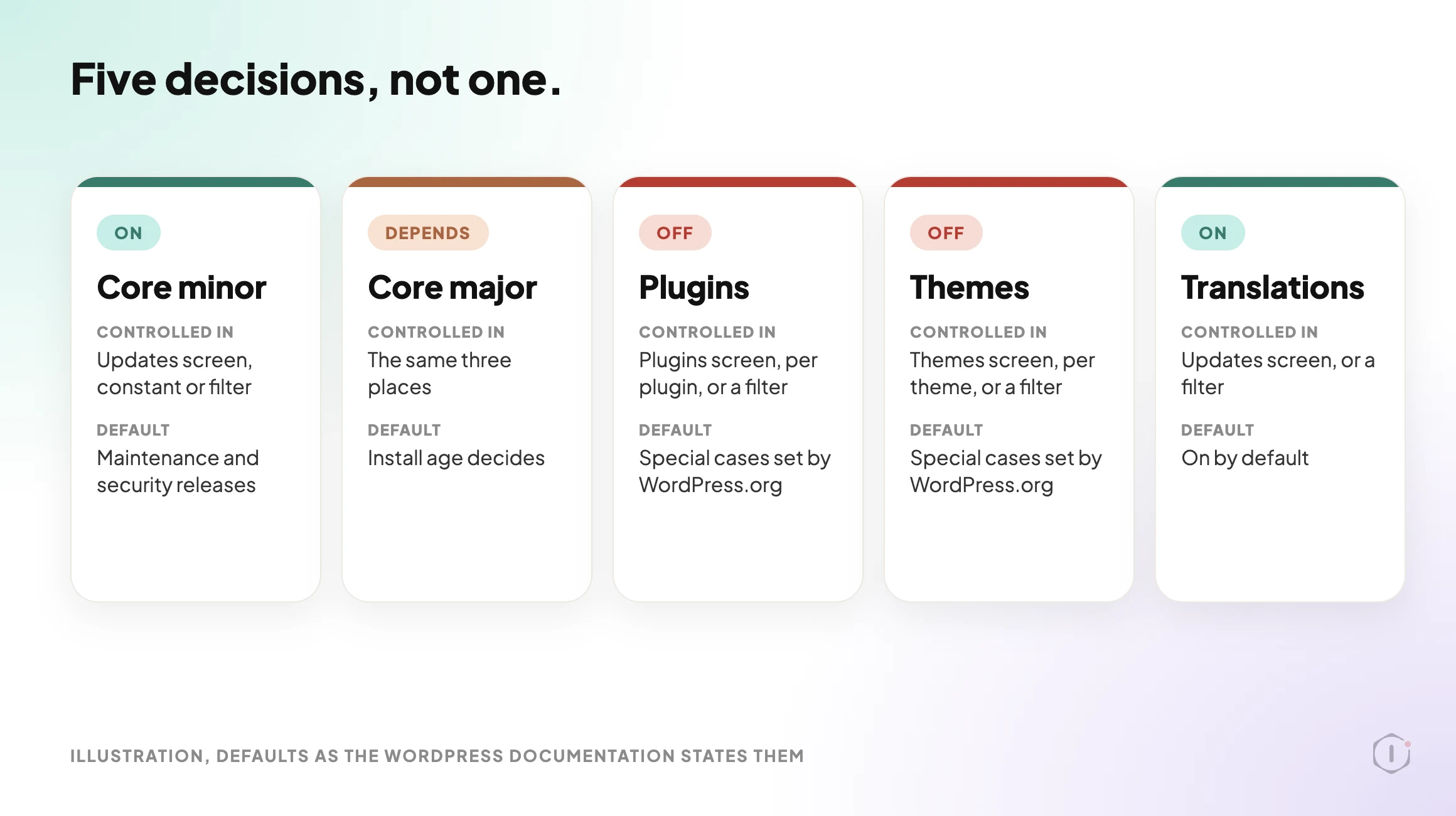
The Five Decisions, Not One
The admin spreads these across the Updates, Plugins and Themes screens. The documentation describes them like this.
| Decision | Where it is controlled | Default, as documented |
|---|---|---|
| Core minor and security releases | Updates screen, the WP_AUTO_UPDATE_CORE constant, or a filter | On |
| Core major releases | The same three places | Depends on the install |
| Plugins | The “Automatic update” column on the Plugins screen, per plugin, or a filter | Off, except special cases |
| Themes | The theme’s detail view on the Themes screen, per theme, or a filter | Off, except special cases |
| Translations | Updates screen, or a filter | On |
Three notes matter more than they look.
Plugin and theme auto-updates are per item, since WordPress 5.5, so you can update the contact form plugin and leave the booking engine alone.
The “special cases” are real. The documentation says plugins and themes update by default only “in special cases, as determined by the WordPress.org API response, which is controlled by the WordPress security team for patching critical vulnerabilities”. That is the route a forced security push takes, and the same page says a filter returning false switches off even those.
The core major default depends on when the site was built. Before WordPress 5.6, every site got minor core updates and translations only. From 5.6, fresh installations get minor and major updates by default, unless WordPress detects a version control checkout. Existing installations keep the old behaviour unless an administrator, a constant or a filter changes it. So two sites on the same version can differ. That is the documentation’s account; I have not tested it.
Core Minor Releases: On
The documentation describes minor core updates as maintenance and security releases, and says the core developers made “a conscious decision to enable automatic updates for minor releases and translation files out of the box”. It calls disabling them “strongly discouraged”.
The alternative is a person who has to notice an advisory and act on every site, every time, and people go on holiday. The exception is a site so tightly coupled to core internals that a point release is genuinely risky, and that site has a bigger problem than this setting.
Core Major Releases: Decide On Purpose
A major release can change things that page builders, commerce extensions and custom blocks build on. It is a piece of work with a staging test and a date, not a background task. Applied automatically, you learn about a compatibility problem from a visitor instead of from a test.
Because the default depends on the install, decide it explicitly. The documented way to hold a site at minor releases is the constant below: its 'minor' value allows minor updates and blocks major ones.
define( 'WP_AUTO_UPDATE_CORE', 'minor' );The documentation says this constant overrides the Updates screen, so it can quietly outrank what the screen shows. Write down that you set it: a constant nobody remembers is how a site gets stuck, as the thread below shows.
Holding is not ignoring: a site two majors behind has stopped being conservative and started accumulating a migration. The next major is visible already. WordPress 7.2 Beta 1 came out on 20 October 2026, with the final release scheduled for 8 December 2026, and the notice says not to run it on production sites. Try it on a copy. A commenter in an r/Wordpress thread on that beta, quoted below, puts the priority in one line.
Plugins: Selectively, And Here Is The Sort
A blanket policy does the most damage here. Sort the plugin list into four buckets by one question: what happens on this site when this plugin changes without warning?
| Bucket | Characteristics | Auto-update |
|---|---|---|
| Low blast radius | Narrow function, no front end output, no checkout path, no custom code depends on it | On |
| Security critical, low coupling | Firewall, spam, login protection, where being a week behind is the real risk | On |
| High blast radius | Checkout, payments, booking, membership, page builder, anything the revenue path runs through | Off, test first |
| Customised or coupled | Your child theme, filters or custom code reach into it | Off, always |
The fourth bucket gets forgotten. A plugin can be stable and still break the site on update, because what breaks is your code reaching into it, and on an inherited site nobody recorded that. If an update breaks something and you cannot tell which plugin, Find A WordPress Plugin Conflict Without Downtime is the method.
Two things change the sort. A plugin updated by its vendor instead of WordPress.org depends on that vendor’s licence staying valid: Premium Plugin Licenses: The Updates That Stop Quietly covers a lapse. And a plugin can be pulled from the repository, after which its updates simply stop: When A WordPress Plugin Is Removed From The Repository, Nobody Tells The Site covers that. In both, the setting reads as enabled and nothing arrives.
Themes: Mostly A Non-Decision
An inactive theme you do not plan to use should be removed, as the Site Health screen documentation recommends.
The active theme splits the way plugins do. A theme used as shipped can be a candidate. A theme with changes made inside it must not auto-update, because an update replaces its files. The Theme Handbook says it plainly about editing a parent theme’s functions.php: “the next time your theme is updated, your function will disappear!” A child theme exists for exactly this. If you do not know whether the active theme was edited in place, assume it was until somebody checks.
Before You Turn Anything On
Three things should be real first. Each has its own post.
- A restored backup, not a backup job. Without a test restore, auto-updates go on over an untested safety net. See Verify A WordPress Backup, Or You Only Have A File With A Hopeful Name.
- A rollback you have reasoned about. See WordPress Rollback After An Update: What It Can Undo, And What It Destroys.
- A check that runs after the update. The outcome that matters is the site still working. See The WordPress Update Process, Written Out Before It Runs.
WordPress added a rollback for plugin auto-updates in 6.6, and it is narrow. The testing notes say it “includes the ability to perform rollbacks when fatal errors occur during attempted plugin auto-updates by default”, and that only active plugins undergo the loopback test. A plugin that updates cleanly and then breaks checkout is not a fatal error, so it needs a check of its own.
What An Enabled Setting Does Not Prove
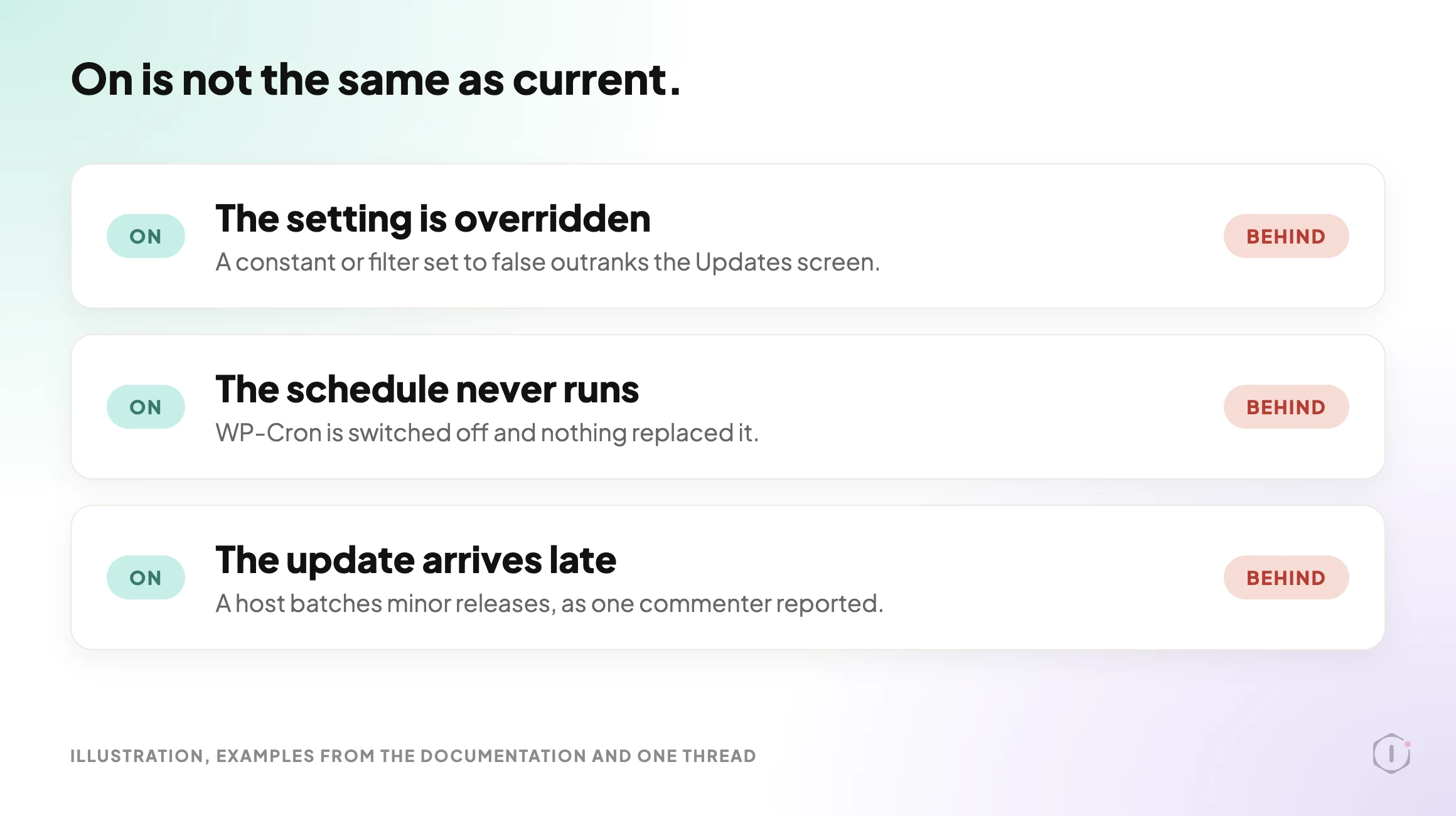
A green setting says the system is permitted to update. It does not say an update has arrived. Three things sit between the two.
- Something overrides the setting. The documentation says the
WP_AUTO_UPDATE_COREconstant overrides the Updates screen, and thatAUTOMATIC_UPDATER_DISABLEDturns off every type of automatic update. A.git,.hgor.svnfolder in the WordPress directory or a parent counts as a version control checkout, with a filter to override that. A host or plugin can also remove the controls: if they are missing on 5.5 or later, WordPress’s help page says, “it probably means the feature was partially or completely deactivated by your hosting company or by a plugin.” - The schedule never runs. The documentation says auto-updates “rely on WordPress Cron tasks to actually perform the update”, and by default run twice per day. If WP-Cron is switched off and nothing replaced it, nothing triggers: WordPress Cron Not Running: The Failure That Never Alerts You. The poster in the thread below names
DISABLE_WP_CRONfor this reason. - The update arrives late. A commenter in the same thread says one host batches minor core releases, so an “immediate” update arrived overnight. That is one person’s report, not documented behaviour. Ask your host.
WordPress’s own Site Health test, introduced in 5.5, is described in the code reference as one that “Tests if plugin and theme auto-updates appear to be configured correctly.” Configured, not delivered: a pass is not evidence that the last update arrived. By default WordPress also emails the site owner when plugin or theme auto-updates succeed or fail, so check that address reaches someone who reads it.
Check The Version, Not The Setting
The boring check is to read the version. Recent releases show why.
- WordPress 7.0.2, 17 July 2026, fixed one critical and one high severity issue. The notice says: “Due to the severity, the WordPress.org team have enabled forced updates via the auto-update system for sites running affected versions.”
- WordPress 7.1.2, 22 September 2026, fixed one critical issue. Its notice says sites that support automatic background updates will start the update automatically, not that it is forced.
- WordPress 7.1.3, 6 October 2026, has 7 security fixes and 4 bug fixes, with the same automatic wording.
Note the July wording: forced updates go “via the auto-update system”. The notice does not say what happens on a site where that system is switched off, so the version number is what answers it.
If you can run WP-CLI, these four commands answer most of it. They only read.
wp core version
wp config get WP_AUTO_UPDATE_CORE
wp plugin list --fields=name,version,update,auto_update
wp cron event list
In order, they print the installed version, read the constant from wp-config.php (a site that does not set it follows the defaults above), list each plugin’s version, update status and auto-update state, and show what is scheduled and when it next runs. Without WP-CLI, the Updates and About screens show the version, and Site Health shows cron problems. I have not run these commands for this post; they come from the WP-CLI handbook.
The PHP Version Underneath All Of It
One constraint sits below every policy here. Core and plugins raise their PHP requirements over time, and no auto-update setting changes the PHP version the host runs. The WordPress PHP Version Problem: A Third Of Sites Get No Security Fixes is about that. Check it before you write an update policy, not after.
Outside Views
A video about the warning. Ahosting INC’s “Problems Auto-Updating Plugins and Themes: Fix It (2026)“, published 14 October 2026, explains the Site Health warning and says it is not about the server. In its account, WordPress runs a stand-in plugin through your update filters and compares the result with whether the “enable auto-updates” link is still shown, and a mismatch raises the warning. A pass, it says, only means your code is not blocking updates, so a full disk or locked file permissions can still stop real ones.
A clean diagnostic report proves your code and your interface are aligned.
Ahosting INC, Problems Auto-Updating Plugins and Themes: Fix It (2026), auto-generated English captions, 14 October 2026
It is a hosting company’s explainer, tied to its own blog post. The mechanism is the video’s account: the code reference says only that the test checks whether auto-updates “appear to be configured correctly”, and I did not confirm the stand-in plugin detail.
A thread from people living with it. In an r/Wordpress thread titled “Did your sites actually update to 7.1.2, or do you just have auto-updates turned on?”, the poster says the reply they keep getting is “auto-updates are on, we’re fine”, and asks readers to check wp-config.php:
If there’s a WP_AUTO_UPDATE_CORE set to false in there, left over from some migration or a dev who wanted control back in 2021, that site hasn’t updated itself since 2021, and nothing in the dashboard is going to tell you.
u/Capital_Attention702, r/Wordpress, 30 September 2026
One reply, from someone who says they checked a few client installs after 7.1.2, found two causes: an old staging habit that left the constant set to false, and a host that batches minor releases. It ends on the same check:
another was on a host that batches minor cores, so “immediate” was more like overnight. wp core version (or just glancing About on each site) is the boring check that actually answers the question.
u/jenish_o4o2, r/Wordpress, 30 September 2026
These are two people’s accounts, not measurements. The thread also makes claims about attacks on 7.1.2 that I did not check, so I have left them out.
A video on the manual routine. BloggersPassion’s “How to Safely Update Your WordPress Website, Themes & Plugins Safely (Step by Step)“, published 16 September 2026, is about updating by hand, not about auto-updates. Its order is a full backup first (shown with UpdraftPlus), a staging copy if the host offers one, one update at a time with a check after each, then core, theme and plugins, and finally the homepage, a blog post and the contact form. That is the routine an auto-update skips, which is why the checks in this post matter.
you will know exactly which update caused it instead of guessing.
BloggersPassion, How to Safely Update Your WordPress Website, Themes & Plugins Safely (Step by Step), auto-generated English captions, 16 September 2026
It is a short beginner tutorial from a blogging site’s team, with about a hundred views when I read it, and it says nothing about how auto-updates behave. I use it only for the one-at-a-time, check-after-each habit.
A thread about the next major release. In an r/Wordpress thread titled “WordPress 7.2 Beta 1 is ready to test”, the poster lists what they like in the beta (more consistent icons, a faster admin, client side media processing support and the secrets API) and asks for thoughts. The replies are a handful of short opinions. One is about the very thing a major update puts at risk:
My favourite feature is not breaking my site, prioritize that.
u/geistly36, r/Wordpress, 22 October 2026
That is one commenter’s wish, not a measurement, and I did not check the poster’s feature list against the beta notice.
Writing The Policy Down
A policy in somebody’s head is not a policy. For each site in your care list, record five lines:
- Core minor state, and whether the
WP_AUTO_UPDATE_COREconstant is set. - Core major approach and the date it is next reviewed.
- The plugin buckets, and which plugins are on auto-update.
- Whether the active theme was edited in place.
- The date you last read the version number, and the date a backup was last restored.
If someone else runs your updates, WordPress Maintenance Plans: What The Contract Should Name is about what a maintenance contract should name.
What This Does Not Solve
An auto-update policy is a narrow instrument.
It does not make a site secure. Being current is a floor, and an update will not say whether a site is misconfigured or already compromised.
It does not protect against a bad release. If an author ships a broken version, auto-updating means you receive it first, and the 6.6 rollback covers fatal errors, not a page that loads and works wrongly.
It does not prove updates arrive. The absence of an update looks the same as there being nothing to update.
And it does not remove judgement. The sort into buckets is a human reading of one site, which changes whenever a plugin is added or custom work is commissioned.
The Point
Pick any site you manage with auto-updates enabled on at least one plugin. Without opening the dashboard, can you say which WordPress version it runs and when a plugin on it last updated?
If not, the question worth asking is not which switches you have turned on. It is how you would find out if one of them quietly stopped working, and who would notice first: you, or the client?
Sources And Further Reading
- Upgrading WordPress, Configuring Automatic Background Updates, WordPress Developer Resources, page read 26 October 2026.
- Plugin and themes auto-updates, WordPress.org Documentation, page read 26 October 2026.
- WP_Site_Health::get_test_plugin_theme_auto_updates(), Code Reference, WordPress Developer Resources.
- Help test WordPress 6.6, Make WordPress Test, 3 June 2024 (Rollback Auto-Updates).
- WordPress.org News: WordPress 7.0.2 Release, 17 July 2026; WordPress 7.1.2 Release, 22 September 2026; WordPress 7.1.3 Maintenance and Security Release, 6 October 2026; WordPress 7.2 Beta 1 is Ready for Download and Testing, 20 October 2026.
- Child Themes, Theme Handbook, WordPress Developer Resources.
- Site Health screen, WordPress.org Documentation.
- wp core version, wp config get, wp plugin list and wp cron event list, WP-CLI Handbook.
- Problems Auto-Updating Plugins and Themes: Fix It (2026), Ahosting INC, YouTube, 14 October 2026.
- Did your sites actually update to 7.1.2, or do you just have auto-updates turned on?, r/Wordpress, 30 September 2026.
- How to Safely Update Your WordPress Website, Themes & Plugins Safely (Step by Step), BloggersPassion, YouTube, 16 September 2026.
- WordPress 7.2 Beta 1 is ready to test, r/Wordpress, 20 October 2026.
Comments