Premium Plugin Licenses: The Updates That Stop Quietly.
A lapsed premium plugin license stops WordPress plugin updates while the plugin keeps running. How to find which ones, and read each license state.

A lapsed license does not break a site.
It does something quieter: it stops the updates.
Short answer: A premium plugin keeps running after its license ends, but WordPress plugin updates from the vendor, including security fixes, can stop arriving. To find out where you stand, list every installed plugin, work out where each one gets its updates from, read the license record each vendor’s system left on the site, and sort every plugin into a clear state. When a state cannot be read, call it unknown. Never call it fine. That is the order the Premium License Expiry playbook in the Protuno dashboard follows, and it is a check you can run by hand.
What this post is, and is not: A practical way to find out which premium plugins on a site have lost their update feed, and how to word what you find. It is not a ranking claim, not legal advice about licensing, and not a result from a real run: no playbook was run for this post, and every visual is a labelled illustration. The step names and rules come from the playbook as the Protuno dashboard shows it. The playbook is Beta and read only.
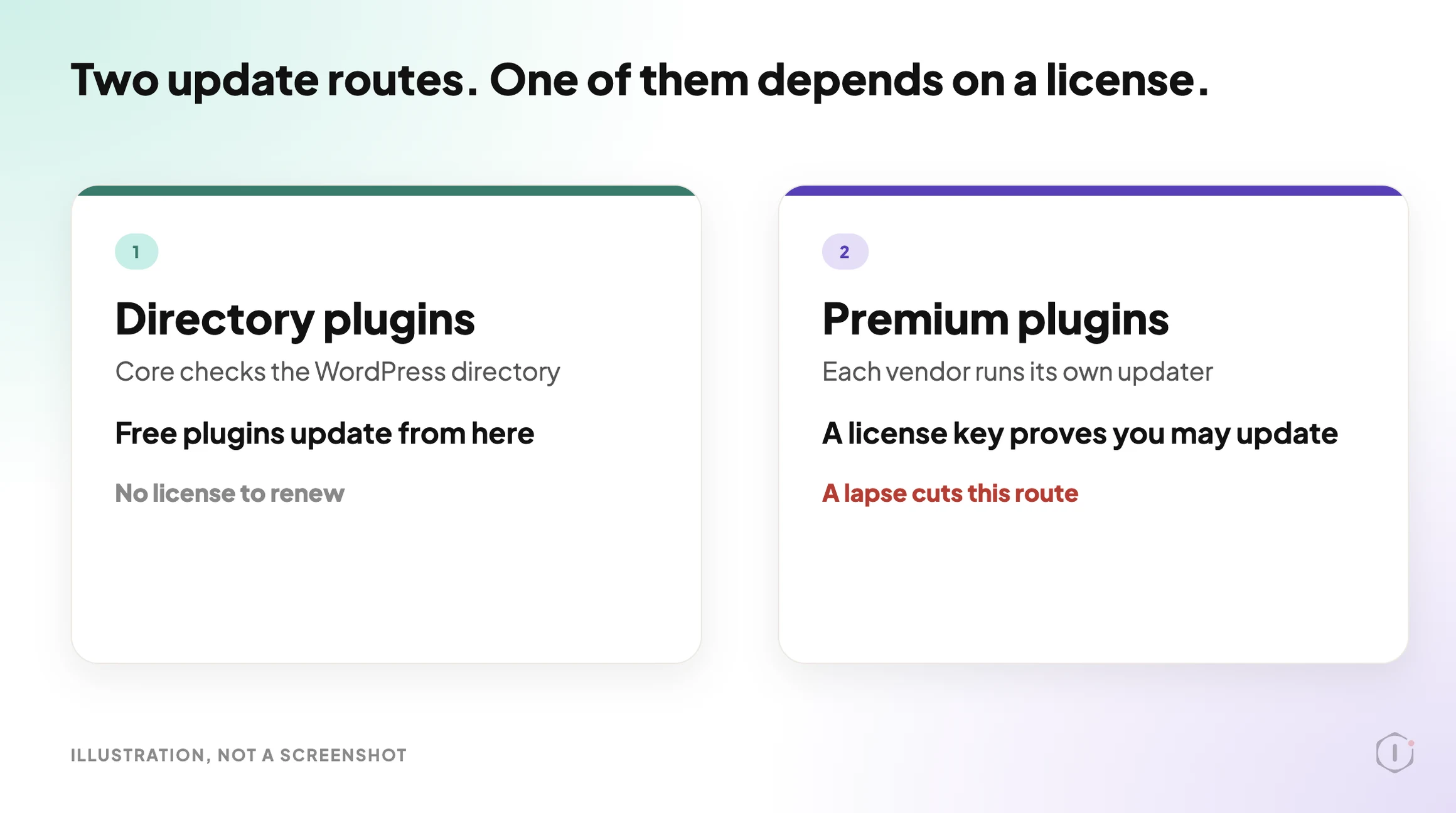
Free plugins from the WordPress directory update from one place. Paid plugins update from many.
Why A Lapsed License Is Easy To Miss
Nothing visible happens on the day a license expires. The plugin still loads. The pages still render. The client sees no difference.
What changes is the supply. A WooCommerce.com subscription, for example, is described by WooCommerce as giving you access to product updates and support for the duration it covers, billed annually or every two years. When that period ends without a renewal, the entitlement goes with it.
Freemius describes licenses in similar terms: they control access to premium features based on the plan, the billing cycle and the number of allowed activations. Easy Digital Downloads Software Licensing works through its own license records too. Each vendor keeps a different record, in a different place, in a different shape.
That is the real problem. There is no single license screen for a WordPress site. There is one screen per vendor, and nobody opens six of them on a Tuesday.
The risk is not the expiry itself. It is the length of time between a security fix being published and anyone noticing the plugin never received it. WordPress 7.1.3, a security release with 7 security fixes, came out on 6 October 2026. Core has its own update path. A premium plugin with a lapsed license may get nothing from its vendor.
Three Places A Plugin Gets Its Updates
| Source | How the site learns about updates | What a lapse looks like |
|---|---|---|
| The WordPress directory | Core checks the directory and records what it finds | Not a license issue. A plugin pulled from the directory is a different problem |
| The vendor’s own updater | The plugin asks the vendor’s server, using a license key | The key stops working. The plugin runs, and the update offer disappears or fails |
| No updater at all | Nothing feeds it | The plugin was installed from a zip and never checks for anything |
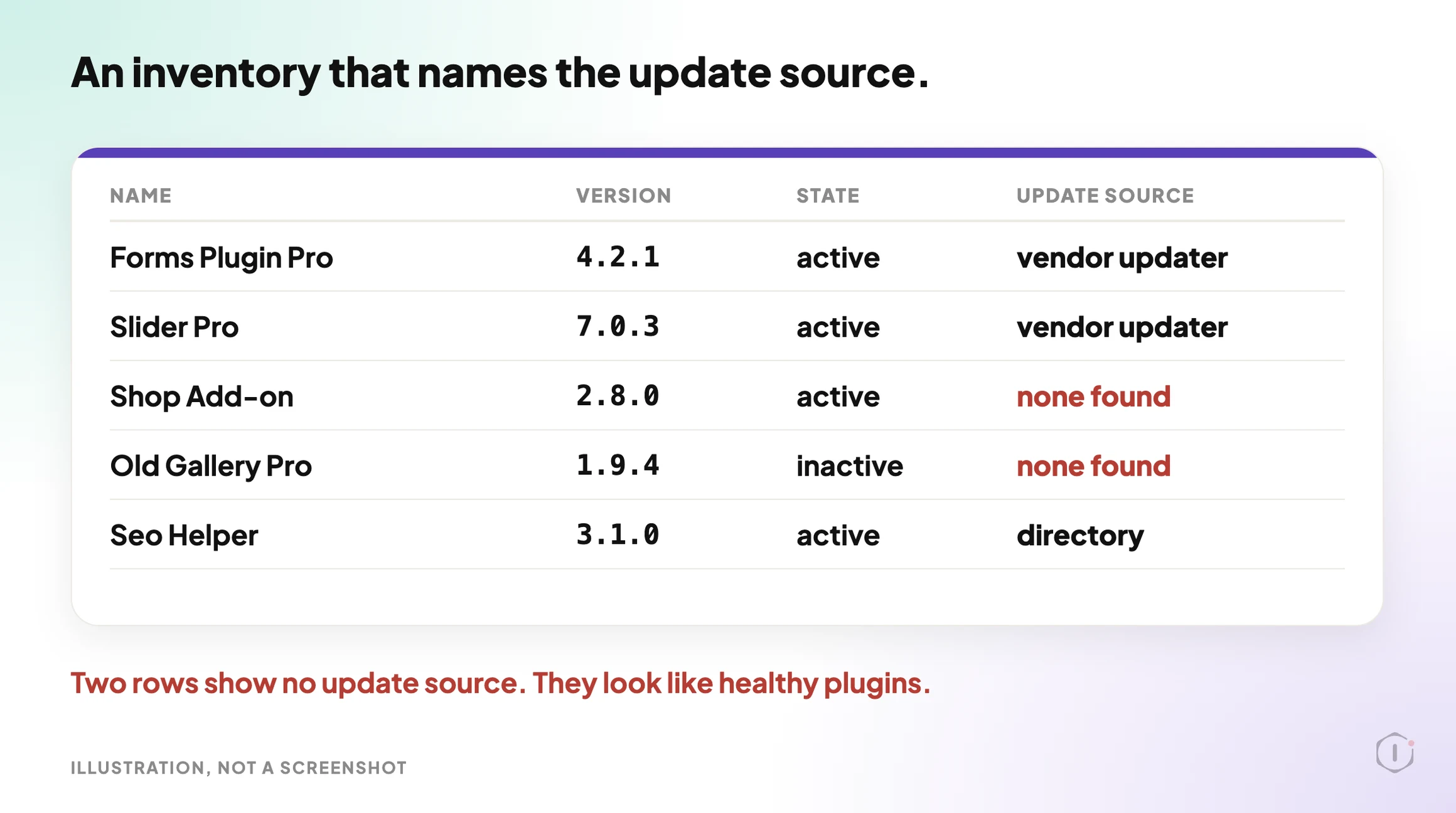
The third row is the dangerous one, because it looks exactly like a healthy site. A plugin that has no updater does not show an error. It just never shows an update.
A Small Test You Can Run Today
Open the plugin list on one site. For each plugin you did not get from the WordPress directory, write down:
- The plugin name and version.
- Whether it is active.
- Which company sells it, and where you log in to see its license.
- The expiry date that account shows, or “no account found”.
- Whether the Updates screen has ever offered an update for it.
Then ask one blunt question of every row: if this vendor published a security fix this morning, would this site hear about it?
A rough way to see what WordPress itself knows about a site’s plugins, from a terminal with WP-CLI:
wp plugin list --fields=name,version,status,updateThe update column shows what the site currently believes. It cannot tell you why a plugin shows nothing. A blank can mean up to date, or it can mean nothing is checking. That ambiguity is the whole point of this post.
The Playbook, Step By Step
Premium License Expiry is a Protuno Maintenance playbook. In the Protuno dashboard it carries a Beta label, is read only and runs seven steps, plus a Brief and Schedule screen. The public playbooks page lists a playbook with the same job under the shorter name License Expiry, described as warning before a paid plugin stops receiving security updates, and shows four steps. This post follows the dashboard’s names and seven steps. Check which version your account shows.
| # | Step | What it does |
|---|---|---|
| 1 | Enumerate Plugins And Update Sources | Makes one read-only call that lists every installed plugin with its name, version, active state and update source. A plugin that is installed but absent from the update records has no updater feeding it. It stops if the core plugin and update records cannot be read |
| 2 | Scan EDD Licenses | Reports the cached Easy Digital Downloads license records that really exist in the site’s options: a prefix, a status, an expiry and whether a key is present. No records is a normal, clean result. It never prints a key |
| 3 | Scan Freemius Licenses | Reports the cached Freemius license state: module, plan, expiry date, and whether it is lifetime or expired. A lifetime license is never reported as expired |
| 4 | Scan WooCommerce Subscriptions | Reports whether the site is connected to WooCommerce.com, and for each subscription its product, expiry date, and whether it is active, expiring or expired |
| 5 | Classify Each Plugin | Gives every plugin one class, with a confidence level and the evidence behind it |
| 6 | Optional Live License Recheck | Makes no remote call. It needs an approval that a playbook has no interactive step for, and a vendor store address that standard WordPress options do not store. It will not guess one |
| 7 | License Expiry Report | Turns the classes into one report with a status of ok, warn or stopped, headlining the dangerous states first |
The order is the safety. Nothing is written at any step, and nothing is called healthy because it was not found broken.
Seven Classes, And What Each One Means
| Class | Plain meaning |
|---|---|
| valid | A license record was read and it is current |
| expiring-soon | A record was read and the expiry is close |
| expired-still-running | The license has ended, the plugin is still active. Updates are off, but the plugin works |
| lapsed | The license has ended in a way the record marks as lapsed |
| lifetime | A record was read and it has no expiry |
| nulled-suspect | A signal that may point to an unlicensed or tampered copy. Worded as “possible unlicensed or nulled copy (confidence: low, medium or high), needs verification” |
| unknown | The state could not be determined |
Two of these deserve a pause.
unknown is the honest class. The playbook’s rule is that an ambiguous or absent status is unknown, never valid, and that a vague match is never asserted as valid. A plugin the system cannot read gets reported as “unknown (not determined)”. It does not get the word fine.
nulled-suspect is the class that can do harm if it is worded carelessly. A weak signal, for example a name with “Pro” in it and no entry in the update records, is not evidence of anything. Many paid plugins never appear in those records until their own updater has run. So every nulled-suspect line carries a confidence level, and a low-confidence line is a prompt to verify, never an accusation.
What The Report Treats As Urgent
| Finding | Confidence | How it is treated |
|---|---|---|
| expired-still-running | High, because a license status was actually read | Headline. The plugin works, but security updates are off |
| lapsed or expiring-soon | Read from a record | Warning |
| nulled-suspect | Medium or high | Warning, worded as a possible unlicensed copy that needs verification |
| nulled-suspect | Low | Listed under “Needs verification”. Never urgent |
| unknown | Not determined | Reported as unknown. Does not change the status |
For a low-confidence line, the advice is deliberately mild: open the plugin’s own license or settings page and confirm the license is active. If it is, there is nothing to do. The report does not tell you to remove, replace or switch a plugin on a weak signal.
The status follows the same logic. The report is warn when any plugin is expired-still-running, lapsed or expiring-soon, or when a nulled-suspect has medium or high confidence. Low-confidence rows alone leave the status at ok, because otherwise every site whose connector plugin updates itself would be flagged.
What A License Check Does Not Solve
- Whether the plugin is any good. A valid license on an abandoned plugin is still an abandoned plugin. Our post on what a removed plugin leaves behind covers that side.
- Whether a plugin has a known vulnerability. A license is about the update supply. Matching installed versions against vulnerability data is a different check, covered in vulnerability monitoring.
- Vendor records the site does not keep. The playbook reads cached records on the site for Easy Digital Downloads, Freemius and WooCommerce.com. A vendor with its own system, or an account that only lives on the vendor’s server, is not covered by those steps.
- A live answer from the vendor. Step 6 makes no remote call. What you get is what the site last recorded, not today’s answer from the vendor’s server.
- Renewals. It reports. It never renews, updates or changes a license.
- Sites that cannot run PHP. If the check cannot read the site’s own records, it says so and stops. It does not infer a license state from anything else.
Which Check Are You Actually Running?
| If you need to know | The evidence | Next action |
|---|---|---|
| Whether a paid plugin is still being updated | The update source and the license record, side by side | Renew, or plan a replacement |
| Whether an installed plugin has a known security hole | Version against vulnerability data | Read the vulnerability monitoring approach |
| Whether an update is safe to apply | A backup, a test and a rollback path | See how a safe update playbook is written down |
| Whether the license cost belongs in the care plan | The number of paid plugins and their renewal dates | See care plan economics |
A Five-Plugin Audit You Can Do This Week
Pick five premium plugins across your busiest client sites. For each, record:
- The vendor and the account that owns the license. Is it your account, the client’s, or a former developer’s?
- The expiry date, or “not found”.
- The date of the last update the site actually received.
- Whether the plugin is active and whether anything depends on it.
- Who gets the renewal email, and whether that address still works.
Then pick one outcome per plugin: renew now, move the license to the right owner, replace the plugin, leave it with a dated note, or confirm the license state with the vendor.
The fifth question is the one that bites. A renewal notice that goes to a former contractor’s inbox is how a license lapses without anyone deciding to let it. Writing the owner and the renewal date into the maintenance contract is a small change that closes it.
If A License Has Already Lapsed
Do these in order:
- Take a backup, and make sure it restores.
- Check whether the vendor has published updates since the license ended.
- Renew, or schedule the plugin’s replacement.
- After renewing, re-read the Updates screen and confirm the offer comes back.
- Test the update on a copy before applying it live.
If an update goes wrong, a clear undo is what matters. Our post on what an automatic rollback really reverses is a good test of any undo claim. If you suspect a plugin has already been used against the site, start with the first hour after a hack and ignore this post.
Two Outside Views
A tutorial and a forum thread. Neither is an endorsement.
Presslyte’s tutorial on updating WordPress plugins safely walks through a five-step routine: back up, review, update one plugin, check the site and repeat. It also says that if the update source or support status is unclear, you should stop and verify it before going on.
A beginner tutorial on updating WordPress plugins safely: back up, review, update one plugin, check the site and repeat.
Presslyte, “How to Update WordPress Plugins Safely” on YouTube, 2 Sep 2026
On Reddit, an r/Wordpress thread asks whether people wait for Black Friday to buy yearly plugin licenses, and the replies talk about monthly versus annual plans, lifetime deals and whether a first-year discount is worth it. It is a useful reminder that every yearly license is also a renewal date someone has to own.
“A lot of plugin vendors discount only the first term, and year two renews at full price.”
r/Wordpress, “Are you waiting for BlackFriday/CyberMonday with plugin purchases?”, September 2026
Where Protuno Fits
In the Protuno dashboard, Premium License Expiry sits with the Care playbooks. It is a Beta playbook that only reads, so it does not change a plugin, renew a license or print a key. It needs the Protuno plugin on the site first, and on the one connected site in the dashboard it is not switched on, so there is no run to show here.
It does not decide whether to renew, and it does not replace asking the vendor. If a site is behind on core, update it first: WordPress 7.1.3, a security and maintenance release, came out on 6 October 2026.
Sources And Further Reading
- Managing WooCommerce.com Subscriptions: WooCommerce’s guide to what a subscription includes, connecting a site through the Update Manager, and renewal.
- Freemius Developer Documentation: Licenses: how Freemius describes licenses, renewals and activations.
- get_plugins() reference: the WordPress function that reads the installed plugins and their plugin data.
- WordPress 7.1.3 Maintenance And Security Release: the 6 October 2026 release.
- How to Update WordPress Plugins Safely: Presslyte on YouTube, 2 September 2026.
- Are you waiting for BlackFriday/CyberMonday with plugin purchases?: an r/Wordpress thread.
The Point
A lapsed license does not announce itself. The plugin keeps working, and the updates stop.
List every plugin, find where each one gets its updates, read the license records, and write unknown when you cannot tell.
Which premium plugin on your busiest site has no renewal date written down anywhere?
Comments