WordPress On-Page SEO Checklist, Step By Step.
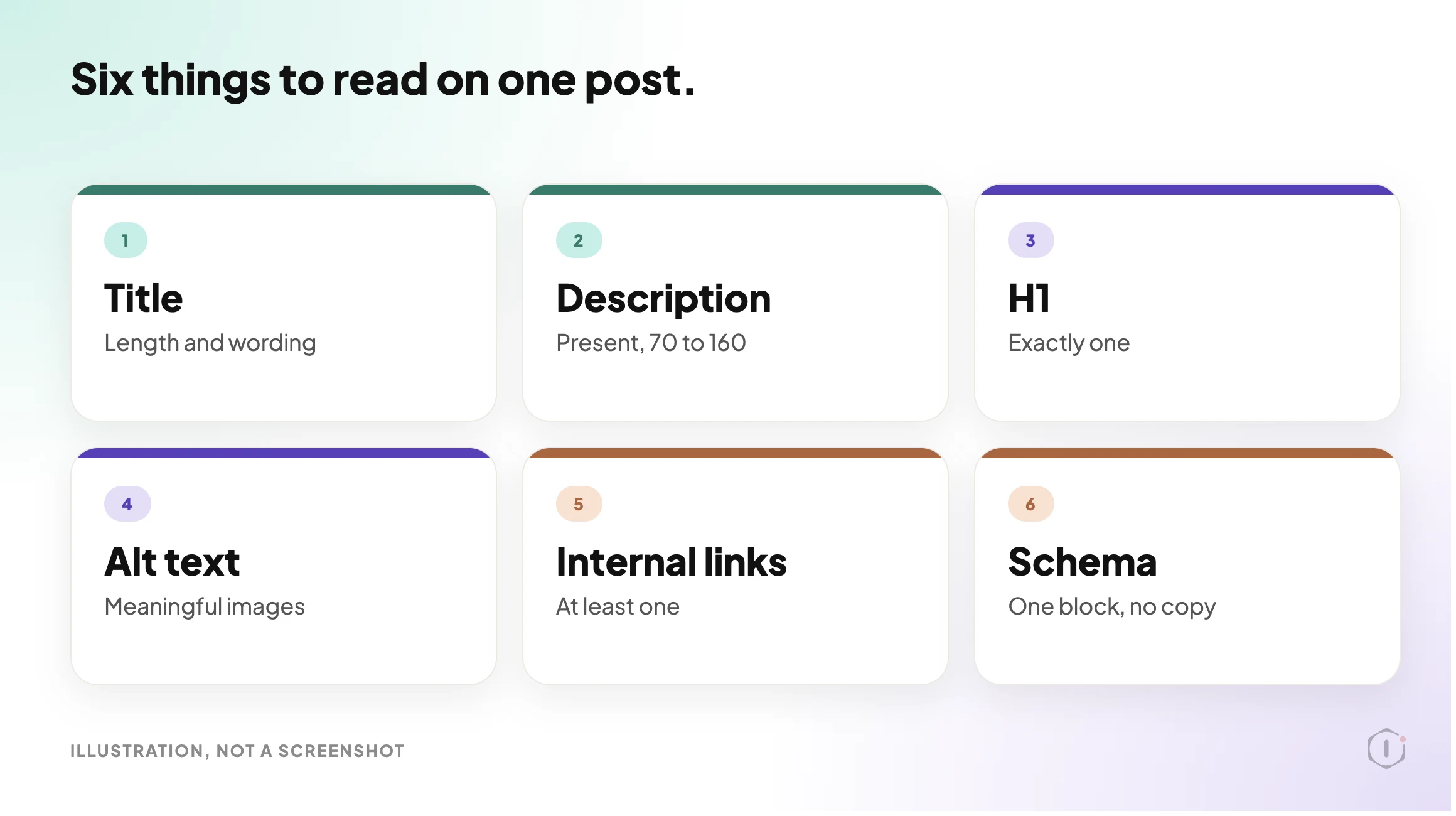
A WordPress on-page SEO checklist for one post: title, description, H1, alt text, internal links and schema, read before and after any change.

A green score is an opinion about one version of a post.
It is not a reading of the page a visitor or a crawler actually receives.
Short answer: Check one post at a time, in a fixed order. Find out which plugin owns the title and description. Read what is stored. Read what the live page serves. Compare both against a short list of limits: title, description, one H1, alt text, internal links and schema. Write each fix as a before and after. Change only what you can undo, then read it back. That is a WordPress on-page SEO checklist you can run by hand, and it is the same order the AI SEO Optimiser playbook in the Protuno dashboard follows.
What this post is, and is not: A practical checklist for one post at a time, with the limits we use and the reasons for them. It is not keyword research, not a ranking promise and not a result from a real run: no playbook was run for this post, and every visual is a labelled illustration. The step names and rules come from the playbook as the Protuno dashboard shows it. The playbook is Beta.
An audit tells you what is wrong. A diff tells you exactly what changed.
Why A Green Score Is Not A Checklist
An editor score is built from the post as you are writing it. The page that goes out is built later, by your theme, your plugins and your cache.
That gap is where on-page problems hide. A theme can print its own H1. A second plugin can output a different title tag. A caching layer can serve last week’s version. The score cannot see any of that.
Google adds another layer. Its documentation says title links are created automatically from several sources: the title element, the main visual title, heading elements such as the H1, og:title tags, anchor text and more. The title you type is one input, not the verdict.
Snippets work the same way. Google says they are primarily created from the page content, and that it sometimes uses the meta description when it describes the page better. So a description is a pitch you offer, not a result you control.
A good check looks at what is served, and says what it cannot see.
Three Places The Same Post Lives
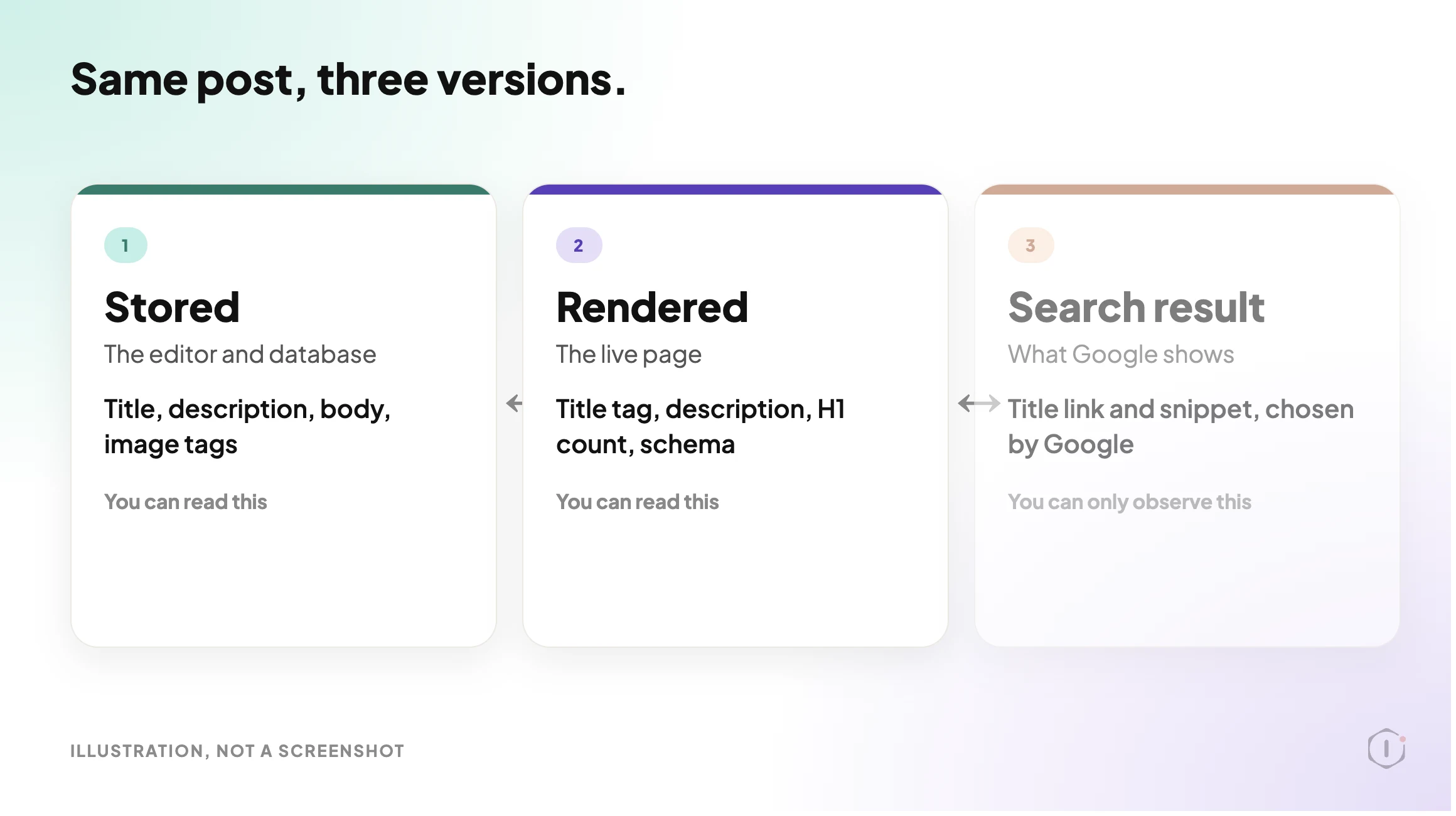
| View | What it tells you | What it cannot prove alone |
|---|---|---|
| Stored (the database and the editor) | The title, description and body as saved, plus the image tags in the body | Whether a theme or plugin changes any of it before it is served |
| Rendered (the live page) | The title tag, description, H1 count and schema a crawler really receives | Whether you saved what you meant to, or whether a cache is stale |
| Search result (Google) | The title link and snippet Google chose to show | Anything about your page. Google decides this, and it can differ by query |
The first two you can check today. The third you can only observe, and it changes after Google recrawls the page.
A Small Test You Can Run Today
Pick one published post. Write down:
- The post URL and which SEO plugin is active (Yoast, Rank Math, All in One SEO or none).
- The title as served, and how many characters it is.
- The meta description as served, and how many characters it is.
- How many H1 tags the live page contains.
- Which images have no alt text, or an empty one.
- How many links in the body point to your own site.
- Whether the page already has a JSON-LD schema block, and which plugin prints it.
A rough way to read the served page from a terminal:
URL="https://example.com/your-post/"
curl -s "$URL" -o post.html
grep -o -i '<title>[^<]*' post.html
grep -o -i '<meta name="description"[^>]*' post.html
grep -o -i '<h1' post.html | wc -l
grep -o -i '<img[^>]*>' post.html | grep -v -i 'alt="[^"]'
grep -o 'application/ld+json' post.html | wc -l
These lines read the served HTML only. A tag that a script adds in the browser will not show up, and the attribute order in the description tag varies, so if nothing prints, open view-source and look. The image line lists every image with a missing or empty alt, which includes decorative ones. Treat the output as a prompt to look, not as a score.
The Playbook, Step By Step
AI SEO Optimiser is a Protuno SEO playbook. In the Protuno dashboard it carries a Beta label, runs eleven steps in a fixed order and can change a site: it rewrites one post’s content and SEO fields. The public playbooks page lists a playbook with the same purpose under the name Page Optimise, described there in five steps. This post follows the dashboard’s names and eleven steps. Check which version your account shows before you rely on either.
| # | Step | What it does |
|---|---|---|
| 1 | Resolve Target And Gateway | Reads one setting, the target post ID. If nothing is set it stops. It never picks a post for itself. Confirms the post exists and is a published post or page |
| 2 | Detect SEO Framework | Looks for Yoast, then Rank Math, then All in One SEO. Yoast and Rank Math have writable title and description fields. With All in One SEO or no plugin, those two are deferred |
| 3 | Read On Page State | Reads the stored title and length, description and length, H1 count, heading outline, images without alt, internal link count and any inline JSON-LD |
| 4 | Read The Live Page | Fetches the rendered page to see the served title, description, H1 count and JSON-LD. If it cannot, it says so. Core Web Vitals are not available here |
| 5 | Keyword And SERP Context | Optional. Only if a target keyword is set, it looks up the top ten results for title and snippet context. Otherwise it skips |
| 6 | Diagnose On Page SEO | Turns the reads into findings tagged by severity |
| 7 | Compose Proposed Fixes | Writes the exact title, description and image alt text, and an Article schema block only if none exists. Every value is checked against length limits first |
| 8 | SEO Diff Approval Gate | Builds before, after and reason rows. Drops anything out of bounds or unverifiable |
| 9 | SEO Safety Snapshot | Records the current title, description and a hash of the body in a backup field before anything is overwritten |
| 10 | Apply SEO Fixes | Writes to the one target post only. The body goes through a recorded content update. Title and description use a recorded meta write when the site offers one |
| 11 | Recheck And SEO Report | Reads every changed field back, checks the rendered page, and reports before and after with the exact undo |
The order is the safety. Nothing is written before a snapshot, and nothing is called done before it is read back.
Read The Gate Carefully
Step 8 is named an approval gate. The instructions for that step say plainly that this playbook has no interactive human step, and that the steps after it, the snapshot, the recorded write and the read-back, stand in for one. The public Page Optimise listing describes applying on approval. Those are two different promises. Before you switch a playbook that writes to a client post, find out which one your version makes, and decide whether you are comfortable with it.
The Limits It Checks Against
| Field | What it flags | Severity |
|---|---|---|
| Meta description | Missing | High (low if the site has no SEO plugin, since there is nowhere to store one) |
| Meta description | Over 160 characters, or 1 to 69 | Medium for too long, low for too short |
| Title | Over 60 characters | Medium |
| Title | Under 15 characters | Low |
| H1 | None, or more than one | Medium |
| Images | Any inline image without alt text | Medium |
| Internal links | None in the body | Low |
| Schema | Never adds a block if one already exists, inline or plugin-rendered | Not a finding |
These are the playbook’s bounds, not Google’s rules. Google’s own pages say there is no limit on how long a title element or a meta description can be, and that Google shortens what it shows to fit the device width. Treat 60 and 160 as a practical editing target, not as a ranking threshold.
One more limit matters. The image rule counts an image with an empty alt as missing. The W3C accessibility guidance says the opposite for purely decorative images: they should have an empty alt on purpose. A sweep like this will flag them anyway, so a human has to sort real gaps from decoration. Our alt text audit shows how easily an alt count can mislead.
What An On-Page Check Does Not Solve
- Whether anyone searches for the topic. Nothing here does keyword research or judges search intent.
- Whether the content is good. A tidy title on a thin page is still a thin page.
- Rankings. No set of fixes to one post guarantees a position. Core Web Vitals are not available to this playbook either.
- The H1 and the links. The playbook reports them and leaves the change to a person. Restructuring a heading or adding links needs judgement.
- Image alt text that lives on the media record instead of in the post. It is reported, not written.
- The rest of the site. It acts on one post. For site-wide patterns, the technical SEO audit reads the whole site and changes nothing.
Questions To Ask Your Current Tooling
- Does it read the live page, or only the editor?
- Which plugin owns the title and description, and what happens if two are active?
- Does it change anything on its own, and where is the target post chosen?
- Is there a record of the old value before a new one goes in?
- How do you undo a change that went wrong, and does the undo cover the title as well as the body?
- Does it tell you what it could not check, or does it return a clean score?
Which Check Are You Actually Running?
| If you need to know | The evidence | Next action |
|---|---|---|
| Whether the post is set up well | Stored and served title, description, H1 and alt, side by side | Fix the gaps in the order below |
| Whether the whole site has the same gap | A crawl across every page | Read the technical SEO audit approach, then batch the fix |
| Whether a page is reachable at all | Sitemap and internal links, not on-page fields | See the sitemap audit and the orphan pages post |
| Whether AI answer engines can use the page | Structured data and clear, quotable text | See AI search optimization guidance |
Fixing Findings In The Right Order
| Order | Fix | Why here |
|---|---|---|
| 1 | Take a restore point | Everything after this changes the post |
| 2 | Resolve the H1 question | A human decision, and it changes what Google may treat as the main title |
| 3 | Title | Highest-visibility field, but only one of several inputs |
| 4 | Description | A pitch Google may or may not use |
| 5 | Alt text on meaningful images | Fix real gaps, leave decorative images empty on purpose |
| 6 | Internal links | Added by hand, where they help a reader |
| 7 | Schema | Last, and only if none exists yet |
Two rules hold for every row. Take the restore point first. Re-read the live page after each change, because a cache can show the old version for a while.
A write that you cannot undo is a different kind of risk. Our post on what a rollback actually reverses is a good test of any undo claim. And before an agent gets write access to a site at all, the WordPress MCP ability list shows how to sort what it can do by what you would let it do unattended.
A Five-Post Audit You Can Do This Week
Take five published posts, ideally the ones that earn the most traffic. For each, record:
- The served title and its length.
- The served description and its length, or “missing”.
- The H1 count on the live page.
- Images without alt, split into meaningful and decorative.
- The number of internal links, and whether any point to a post that no longer exists.
Then pick one outcome per post: fix it now, test it on a staging copy first, hand it to the person who owns the content, leave it as is with a note, or defer it until the plugin question is settled.
If a post fails three of the five, start there. A fixed list of steps is easier to repeat than a clever one, which is the argument in our piece on writing the update process down before it runs.
Why On-Page Fields Go Stale
Plugins get swapped, themes change and titles get rewritten by someone else. A title that was right in March can be wrong in October. A theme update can add a second H1. A plugin swap can leave the description in a field the new plugin does not read, and a cache can keep serving the old page. Nothing in the editor will tell you any of that. Run the five-post audit again after any theme or SEO plugin change.
Two Outside Views
A tutorial and a forum thread. Neither is an endorsement.
Technical Bro’s WordPress SEO course is a Rank Math tutorial. By its own description it covers the SEO title and meta description, heading structure, image alt text, internal linking and schema, which are the six things this checklist reads. The description also says that following a checklist does not guarantee first-page rankings.
A WordPress SEO tutorial built on Rank Math, covering title, meta description, headings, alt text, internal links and schema.
Technical Bro, “Wordpress SEO full course 2026 | How to Rank Website on Google First Page | Rank Math SEO Tutorial” on YouTube, 27 Sep 2026
On Reddit, an r/Wordpress thread describes a company site running two SEO plugins, Rank Math and All in One SEO, and the poster asks what to check before removing one. That is step 2 of the playbook as a real question: which plugin owns the title and description.
“…is there anything I need to consider when deactivating one of the plugins?”
r/Wordpress, “Company Site has 2 SEO Plugins, Need to Remove One.”, October 2026
Where Protuno Fits
In the Protuno dashboard, the SEO agent is Iris, and this playbook’s category is SEO. It is a Beta playbook that can change a site, so it needs the Protuno plugin on the site first. It works on one post you name, shows its proposed changes as a diff, snapshots before it writes, and reads everything back.
It does not choose the post, and it does not replace judgement on headings and links.
Sources And Further Reading
- Influencing your title links in search results: Google’s documentation on how title links are created and what it says about title length.
- Control your snippets in search results: how snippets are created and how Google treats the meta description.
- Images Tutorial, decision tree: the W3C guidance on when alt text should be empty.
- WordPress SEO full course 2026 | How to Rank Website on Google First Page | Rank Math SEO Tutorial: Technical Bro on YouTube, 27 Sep 2026.
- Company Site has 2 SEO Plugins, Need to Remove One.: an r/Wordpress thread.
The Point
A score says how a post looked in the editor. A checklist says what the page serves.
Run the checks in order, change one thing at a time, and keep the old value.
Which of your five best posts has never had its served title and description read side by side?
Comments