WordPress 404 Errors: Which Ones Actually Cost You.
Most WordPress 404 errors are bot noise and cost nothing. Sort them by traffic, backlinks and internal links, then redirect only what earns it.

A client opens a plugin dashboard and sees 4,000 logged 404 errors. They forward the screenshot with one line: “is this bad?”
The honest answer is that the number on its own means almost nothing. A 404 log is not a defect list. It is a list of requests, and requests come from everywhere: a scanner probing for /wp-admin/setup-config.php, a dead link in a five year old forum post, a typo in an email newsletter, a page the client deleted on purpose last week, and one URL that used to receive real visitors every day.
Those five things have nothing in common except a status code.
Short answer: sort 404 errors by what they were connected to, not by how many there are. A URL that had organic traffic, has an external backlink, or is still linked from your own navigation costs you something real and needs a decision. A URL that only ever appeared in bot logs costs you nothing and should stay a 404. Redirect the first group to the closest genuine equivalent, leave the second group alone, and use 410 for pages you deliberately removed.
What this post is, and is not: this is a triage routine for a 404 log you already have, using data from your own analytics, your own Search Console property and a crawl of your own site. It is not a claim that fixing 404s raises rankings on its own, and it does not measure how any search engine weighs a 404 against a 410.
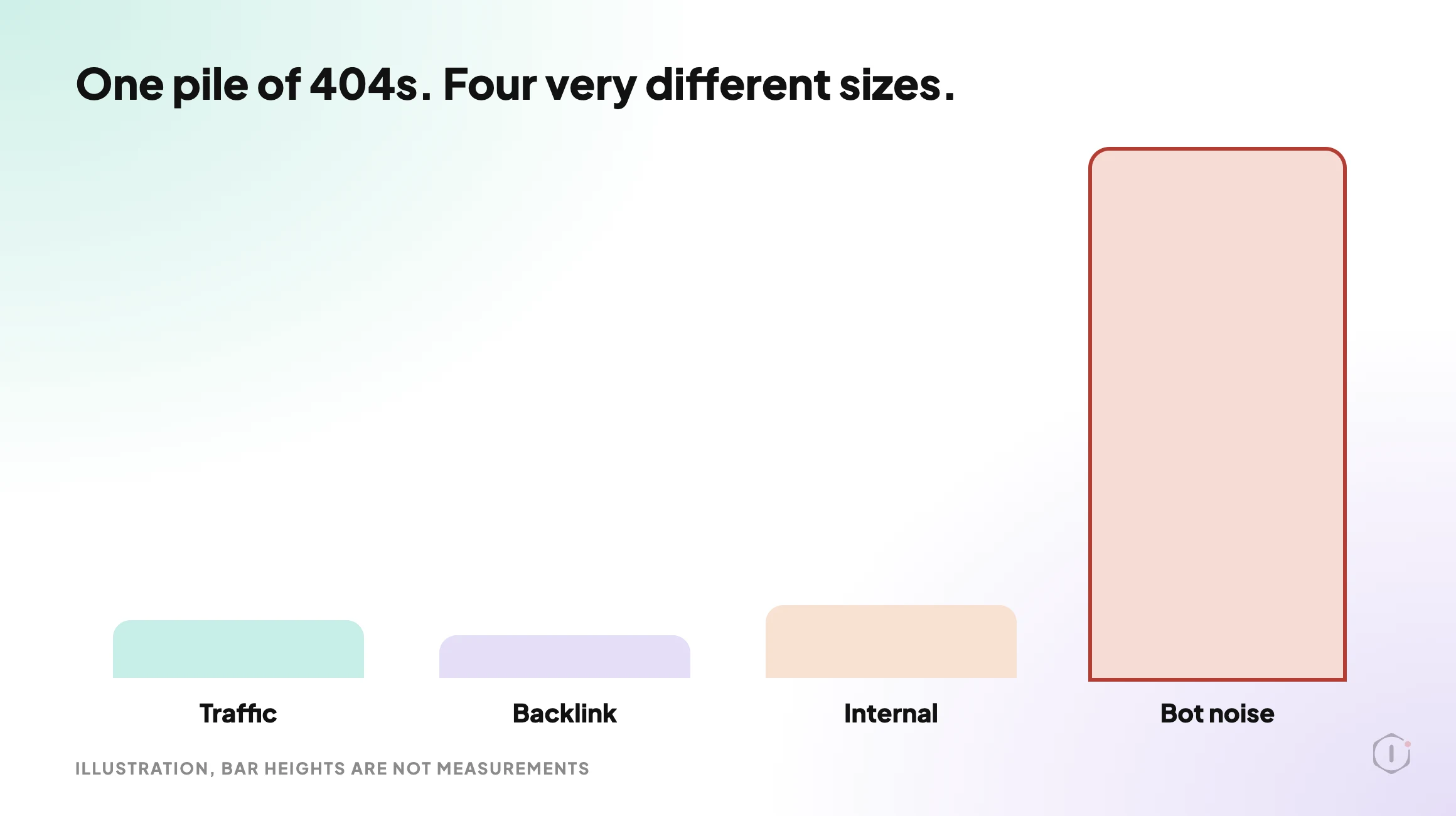
Why The Count Is The Wrong Number
A 404 is the correct response to a request for something that does not exist. The status code is doing its job. Treating every one as a defect means treating your server’s correct behaviour as a bug.
The count feels alarming because 404 logging plugins record everything, including traffic that was never going to be a visitor. Vulnerability scanners walk a list of known paths against every WordPress site they can reach. A site with no inbound links at all will still pick up thousands of 404s a month from that alone.
Compare two lines from the same log:
/wp-content/plugins/revslider/temp/update_extract/
/2024/03/our-pricing-changed/
The first is a scanner. Nobody linked to it, no human requested it, and redirecting it only adds a rule your server evaluates on every request from then on.
The second was a real page. If it had traffic or links, it is losing both right now. That is one of the four thousand, and it is the whole job.
Part of this is already handled for you. WordPress tries to guess the intended address for a missing URL by matching the slug, which is what redirect_guess_404_permalink() does. So a lazy typo in a post slug can resolve without a rule. A deleted page, a changed permalink structure or a renamed category usually cannot, and those are the ones to look for.
The Four Buckets
Every 404 in your log belongs in one of four buckets. Sort in this order and stop as soon as a URL qualifies.
| Bucket | Test | Cost if ignored | Action |
|---|---|---|---|
| Had organic traffic | The URL appears in analytics or Search Console data for the period before it broke | Lost sessions and any conversions on that path | Redirect to the closest genuine equivalent |
| Has external backlinks | Another site links to it | Lost referral traffic and a wasted inbound link | Redirect, even if traffic was low |
| Linked internally | Your own pages, menus, sitemap or templates still point at it | Visitors hit a dead end and crawlers waste requests | Fix the link at the source, then decide on a redirect |
| Bot noise | None of the above apply | Nothing | Leave it as a 404 |
The order stops you overthinking. A URL with a backlink gets a redirect whether or not it ever had traffic, because the link is an asset you already own. A URL with no traffic, no links and no internal references is not a problem to solve, however many times it appears.
The fourth bucket will usually be the overwhelming majority. That is the expected result, not a sign you checked wrong.
Getting The Data For Each Test
Each bucket needs a different source, and none of them is the 404 plugin itself.
Traffic history. Your analytics property holds the before picture. Export the landing pages that received organic sessions over a window long enough to cover the period before the URL broke, then intersect that list with your 404 list. Anything in both is bucket one. If analytics was reinstalled or duplicated at some point, the numbers for that period may be wrong in ways that are easy to miss, which the duplicate Google Analytics tag post covers.
Backlinks. This is the one piece you cannot derive from your own site. You need a backlink source, and the result will be incomplete whichever one you use, because no index sees every link. Treat the result as a floor, not a total.
Internal links. This one you can answer completely, and you should, because it is the only bucket that is entirely your own doing. Crawl your own site and collect every internal link that returns a 404. The WordPress crawl audit post is about what only a crawler can find, which is exactly this job. A crawl also exposes the opposite failure, pages that exist but nothing links to, which the orphan pages post covers.
Sitemap entries. A 404 listed in your sitemap is a specific and avoidable mistake, because you are actively submitting a dead URL for crawling. Pull the sitemap, request each URL and flag every non-200 response. The sitemap audit post has the commands.
The links you control are the easy half of this. The broken link checker post explains why a plain 404 check also misses soft 404s and redirect chains, so this post leaves those two alone.
410 Versus 301, And When To Use Neither
Once a URL is in a bucket you have three options, and the choice is less about search engines than most arguments about it suggest.
| Response | Means | Use it when |
|---|---|---|
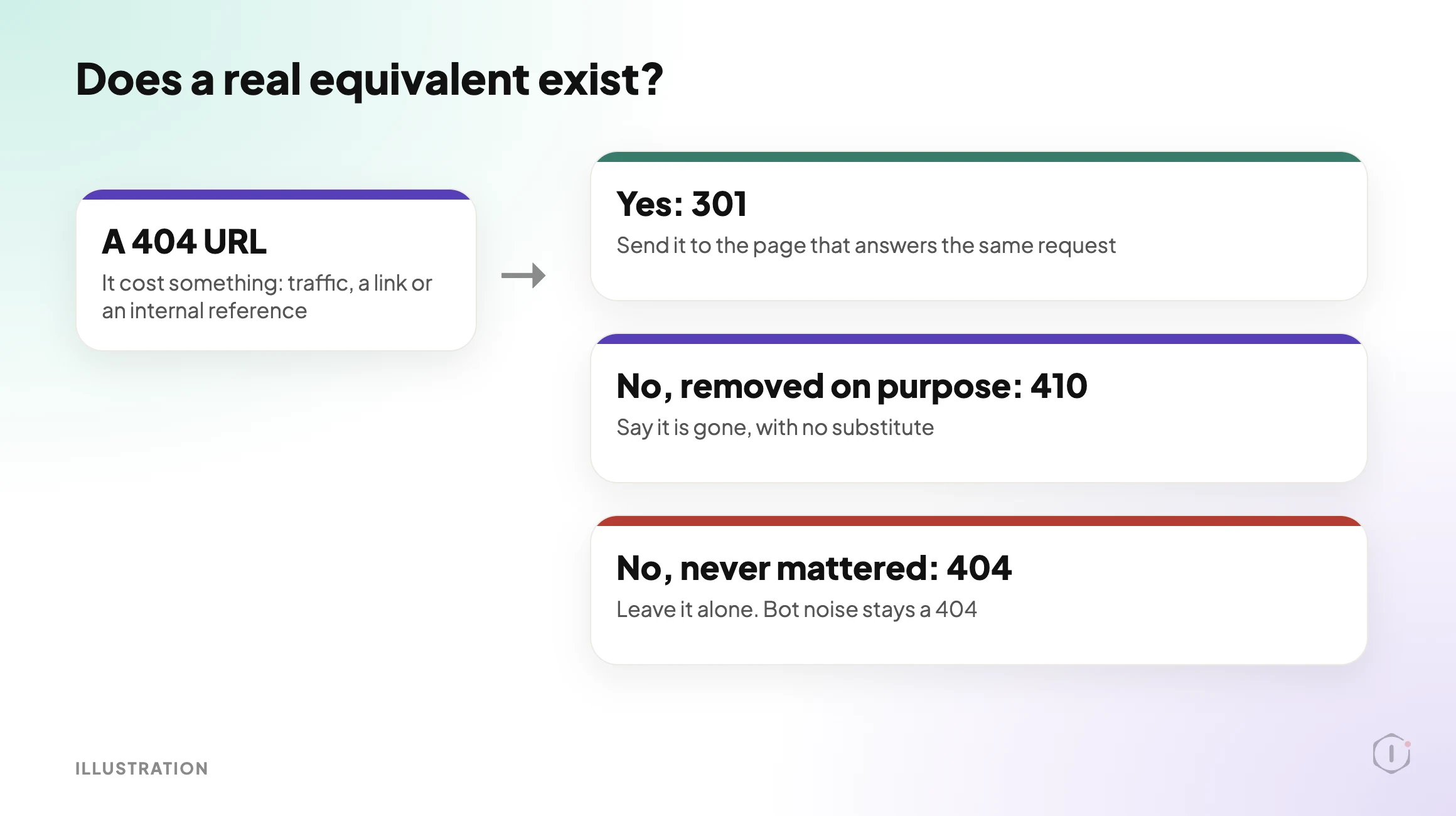
| 301 | This has permanently moved here | A genuine equivalent exists for what the visitor wanted |
| 410 | This is gone on purpose and is not coming back | You deliberately removed the page and there is no equivalent |
| 404 | This does not exist | Everything else, including all bot noise |
The rule that keeps this clean: a 301 is a promise that the destination answers the request the visitor made. Redirecting a deleted product page to your homepage does not do that. The visitor wanted a product and got a homepage, which is a dead end wearing a 200 status code. It is worse than the 404, because the 404 at least told the truth. Google’s own 301 redirect guidance is about pointing to the new location of the same content.
So the test for a redirect is not “do I have somewhere to send this”. It is “does that destination give the visitor the thing they came for”. If no page does, use 410 for deliberate removals and leave the rest as 404.
The MDN reference for 410 Gone describes it as a deliberate, permanent removal, and suggests 404 when you do not know whether the removal is permanent. That is a good rule of thumb. A 410 is a cleaner statement than a 404 that could be a temporary failure. It is not required, and a site that only ever uses 404 is not broken.
One habit to avoid: mass redirecting everything in your log to a single destination. It turns a readable report into noise, adds rules that run on every request, and when you later redirect something properly you risk building a chain of hops instead of a single one.
A walkthrough of the Redirection plugin: installing it, setting up 301 redirects and tracking 404s in its error log.
JOSHUA, “How to Fix 404 Errors Using the Redirection WordPress Plugin (Easy Guide)” on YouTube, 10 Jul 2026
“…I am thinking of changing the response to “410 Gone” to see if they go away permanently.”
r/TechSEO, “404 Not Found or 410 Gone?”, October 2026
Both are about the same decision. The video covers the mechanics of setting a redirect up in a plugin, and it does not tell you which URLs deserve one. The thread is a working question about whether answering 410 clears long-gone URLs out of Search Console, and the line quoted above is the one this post answers: did the URL ever cost anything, and is there a real equivalent?
The 404 Log Is A Security Signal Too
Scanner paths are not an SEO problem. They are still information.
A sharp rise in requests for paths that never existed on your site means someone is probing. You do not need to act on each line, but you should record the rise and compare it with what changed that week. If it lines up with a plugin install or a published vulnerability, that is worth a look. The security monitoring playbook post is the place to start for that side of it.
Keep the two uses apart. If scanner volume and real regressions feed the same alert, the volume will bury the regression every time.
Monitoring It Without Drowning In It
Triage once and you have cleaned up a backlog. The useful version catches the next one within days instead of at the next audit.
Two signals are worth watching, and they are not the same signal.
The first is a URL that used to return 200 and now returns 404. That is a regression, and it is the only 404 event that deserves an alert. You detect it by holding a list of your own known-good URLs and requesting them on a schedule, not by watching the log.
The second is a rise in 404s against URLs that never existed. That is scanner activity, covered above.
A small test you can run today:
- Export the URLs from your sitemap and from your main navigation.
- Request each one and record the status code, the final URL after redirects and the date.
- Re-run it after every core, theme or plugin update, and after any permalink change.
- Treat any URL that moved from 200 to 404 as an incident, and everything else as housekeeping.
# status and final URL for one address
curl -s -o /dev/null -L -w "%{http_code} %{url_effective}\n" https://example.com/pricing/
Staging drift is a common cause of the 200 to 404 jump, because a permalink or plugin setting that differs between staging and live changes which URLs exist.
What 404 Triage Does Not Solve
Sorting your 404s is housekeeping with a clear payoff. It is not an SEO strategy, and it proves little on its own.
It cannot tell you whether:
- the page that was removed should have been removed, which is a content decision nobody can make from a status code;
- the redirect you added serves the visitor’s intent, since a 301 to a loosely related page still fails the person who clicked;
- a ranking change followed the fix, because too many other things move at once to attribute it;
- your backlink data is complete, since every index is partial;
- the traffic a broken URL used to get would return if you restored it, as demand may simply have moved on; or
- a URL returning 200 is actually working, because a page that renders nothing but returns 200 passes every status check you run.
That last one is the real gap. Every test here is built on the status code. Catching a page that answers 200 and shows nothing needs a check that looks at what the page contains. Google describes these as soft 404s in its HTTP status code documentation.
The other limit is scope. This routine is about URLs that are gone. It says nothing about URLs that exist, are reachable and are still not doing anything useful.
Fixing In The Right Order
- Take a restore point first, so a bad redirect rule can be undone.
- Fix internal links at the source. A redirect that hides your own broken link is a patch, not a fix.
- Redirect the traffic and backlink URLs one to one, each to its closest genuine equivalent.
- Remove dead URLs from the sitemap.
- Mark deliberate removals as 410.
- Re-request every changed URL and confirm one hop, then re-run the known-good list.
Sources And Further Reading
- Google Search Central: HTTP status codes, network and DNS errors
- Google Search Central: Redirects and Google Search
- MDN: 404 Not Found
- MDN: 410 Gone
- WordPress developer reference: redirect_guess_404_permalink()
- How to Fix 404 Errors Using the Redirection WordPress Plugin (Easy Guide): JOSHUA on YouTube, 10 Jul 2026.
- 404 Not Found or 410 Gone?: an r/TechSEO thread.
For the wider technical review this belongs to, see the Technical SEO Audit playbook post and the playbooks page.
How Many Of Your Sites Have A 404 Log Nobody Has Read?
Most agencies have a 404 log on every site and a triage habit on none of them, because the counts are large and the signal is buried.
Pick three sites. For each one, pull the unique 404 URLs, intersect them with analytics and a crawl, and write down two numbers: how many had any cost attached, and how many were scanner noise.
So, on the sites you run: when a client next asks whether four thousand 404s is bad, can you answer with the handful that actually cost them something, or only with the four thousand?
Comments