WordPress 404 Errors: How to Find Every One and Fix It (Step by Step).
Find every 404 on your WordPress site, then fix it by cause: permalinks, a changed slug, a deleted page, wp-admin, migration. Tested on a real site.

A WordPress 404 error means the server found nothing at the address requested, usually because a page moved or was deleted while a link still points to it. Your site is almost always fine.
The short version
- Most WordPress 404s come from a changed or deleted address that something still links to.
- If every page except the home page shows 404, the cause is almost always the permalink rewrite rules. Re-save Settings, Permalinks first.
- Find them before you fix them: Search Console, a crawl of your own links, or your server log.
- Fix the link, or send the old address to the closest matching page with a 301 redirect. Never send every 404 to the home page.
We tested this on a real WordPress site
On a test site we deleted 2 pages that other posts linked to, renamed one page’s slug without a redirect, added 1 link with a typo and 1 link to an outside page that no longer exists. Then we found and fixed every one. The real numbers are in Method 4 below. Tested on WordPress 7.1.4 and PHP 8.3.32, November 2026.

What Is A WordPress 404 Error?
A 404 means the server looked for the address you asked for and found nothing there. WordPress then shows its “Page not found” template. The site itself is usually fine. Something is pointing at an address that moved, was renamed or was deleted.
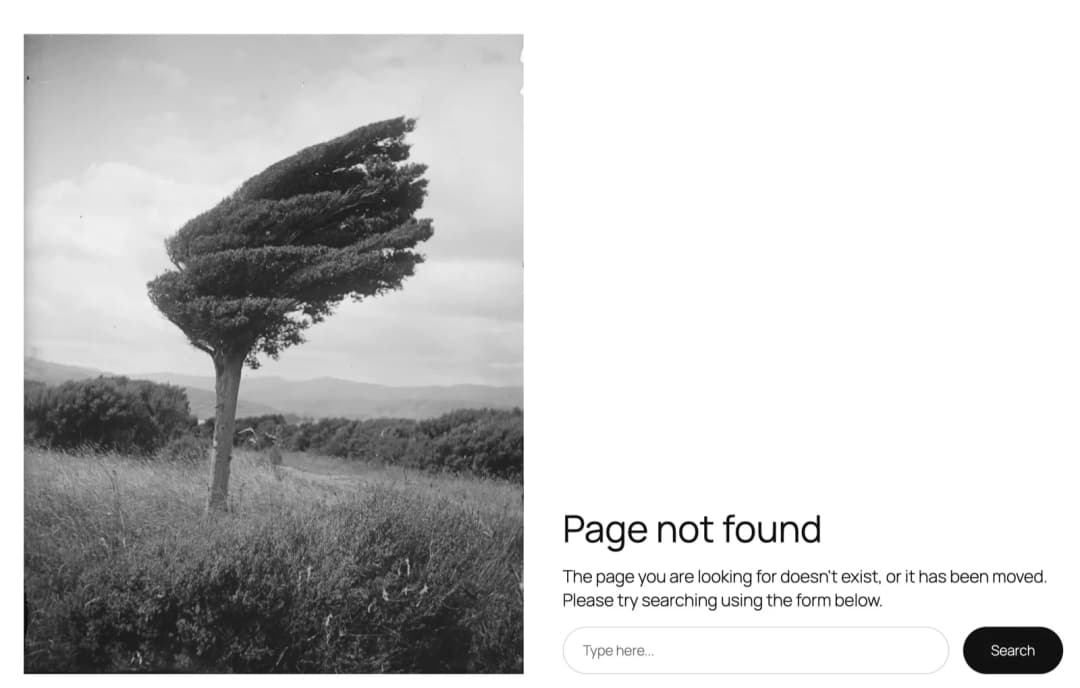
Is a 404 error my fault? Usually not in the sense of a broken site. It is a link or a bookmark that still points at an old address. That is fixable in minutes once you know where the link sits.
404 or 410? A 404 says “not found”. A 410 says “gone on purpose”. For a page you removed for good with nothing to replace it, a 410 tells search engines to stop asking sooner. For everything else, a fixed link or a 301 redirect is the better answer.
How To Find Every 404 On Your Site (4 Methods)
A 404 only matters where something sends people to it: your own menus and posts, other sites, or search results. So find them first, together with where each one is linked from.
Method 1: Search Console’s “Not found (404)” Report
- Open Google Search Console for your site.
- Go to Indexing, Pages.
- Under “Why pages aren’t indexed”, open Not found (404).
- Open each address to see when Google last tried it. Check whether it should exist.
This shows what Google found, which includes old addresses from other sites. It does not tell you which of your own posts links to them, and it lags behind by days.
Method 2: Crawl Your Own Links
A link checker visits every page on your site, follows every link and lists the ones that return 404, together with the page that holds each link. Use any link-checker plugin or a desktop crawler. This is the method that finds the 404s your visitors actually hit from your own menus and posts.
Method 3: Your Server’s Access Log
Every request is in your host’s access log. Filter it for status 404, for example with grep '" 404 ' access.log, and sort by how often each address appears. Expect noise: bots probe for addresses that never existed, such as old admin paths. Those you can ignore.
Method 4: Ask A Super Agent To Find Them (What We Did)
Protuno is Super Agents for WordPress: six AI agents you use from Claude, Claude Code, Codex or Cursor, each working from written playbooks. Iris, the SEO agent, has a Broken Link Checker playbook that crawls the site, checks each link’s real status from the site itself, and maps every broken link to the post it sits in.
On our test site we asked Iris in Claude. Iris was in Approval mode there, so the plan waited in Protuno until we pressed Approve.
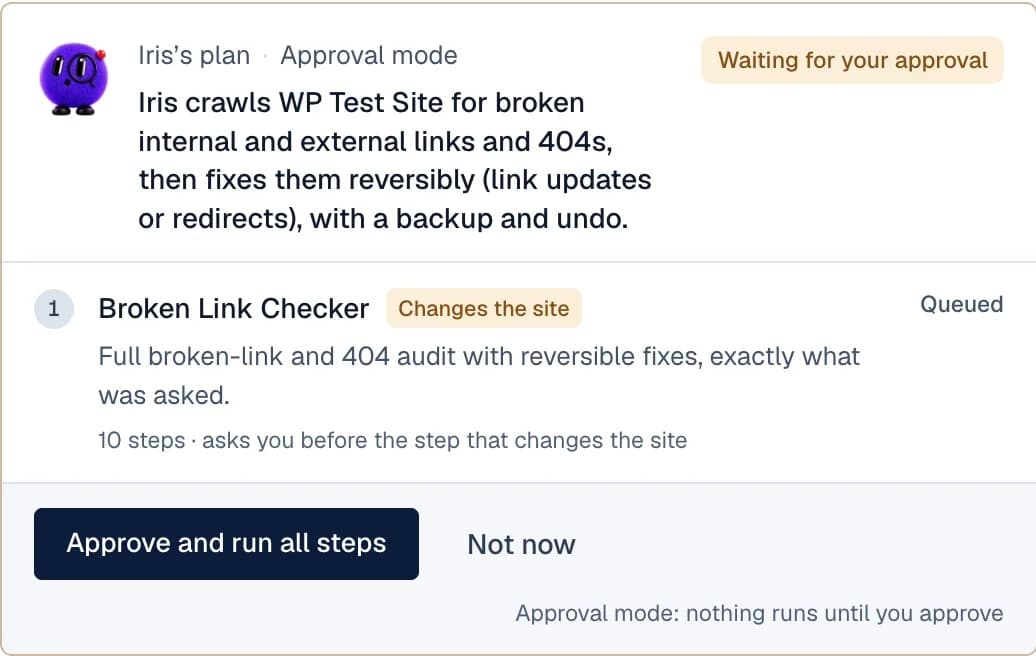
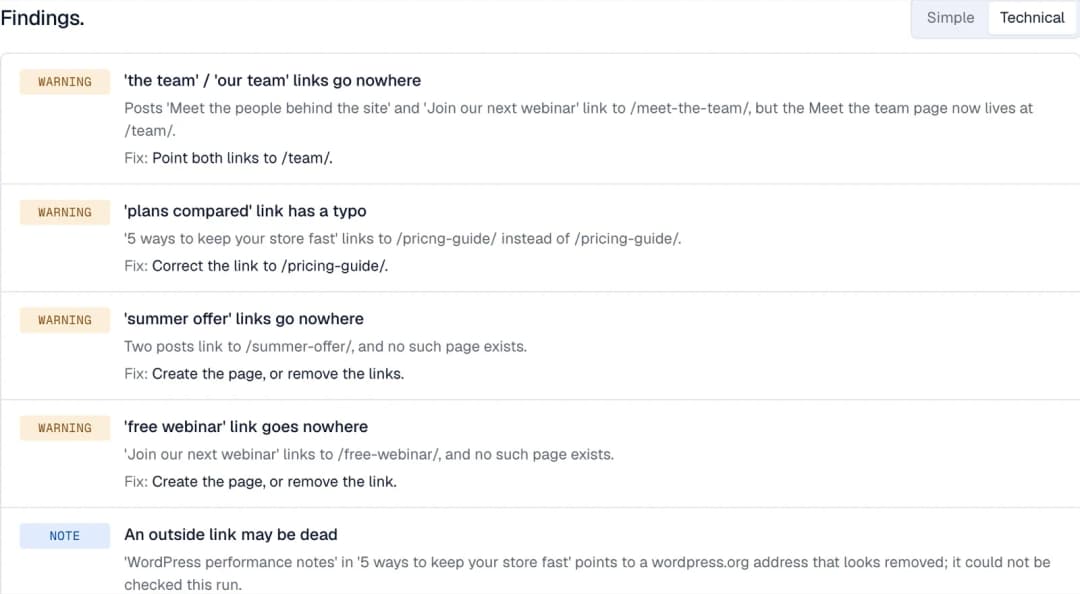
The real result (real run on a test site, 17 November 2026):
- 16 pages crawled.
- 4 internal links pointed at missing pages: two links to the renamed /meet-the-team/ page, a typo link to /pricng-guide/, and links to the two deleted pages.
- 3 outside links it could not confirm, reported as unknown rather than broken.
- 0 links changed on its own. Iris only changes a link by itself when the fix is certain, such as a redirect that already resolves. None of ours were.

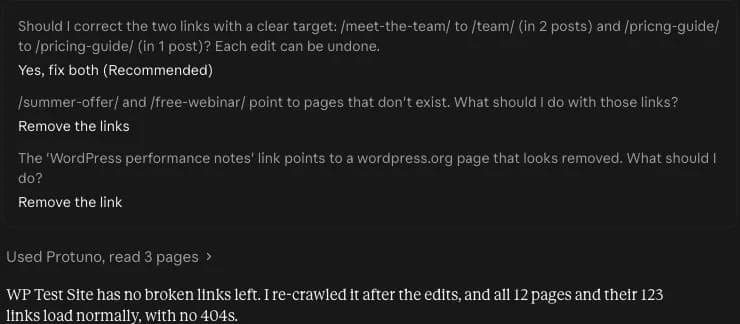
Then Claude asked us one question per fix in the chat. Point the renamed-page links to /team/ and correct the typo? Remove the links to the two deleted pages? Remove the dead outside link? We answered each one, and it made the 3 post edits. You choose each fix. A re-crawl afterwards found 0 broken links across 12 pages and 123 links. The edits can be undone from each post’s WordPress revisions.
The job above is the Broken Link Checker playbook, run by Iris, the SEO agent. For titles, canonicals and pages that should be indexed, the same agent runs the Technical SEO Audit. See all six Super Agents.
Which 404s To Fix First
Not every 404 deserves your time. Sort them like this:
| Where the 404 comes from | Priority | What to do |
|---|---|---|
| A link in your own menu, post or page | Fix first | Update the link, or 301 the old address. Every visitor who clicks it hits a dead end. |
| A link from another site, or an address that gets search traffic | Fix next | 301 it to the closest matching page, so the visit and the link value are not lost. |
| Only in Search Console, nothing links to it | Check | If the page is gone on purpose, leave it as 404 or 410. That is normal. |
| Bots probing addresses that never existed | Ignore | Old admin paths and random files. No fix needed. |
How To Fix WordPress 404 Errors, By Cause
A Page You Deleted That Is Still Linked
Two choices. If a page covers the same topic, send the old address there with a 301 redirect (a redirect plugin, or a rule at your host). If nothing replaces it, remove or rewrite the links that point to it. In our test, the deleted summer-offer and free-webinar pages had nothing to replace them, so the links became plain text.
404 After Changing A Slug Or Permalink
When you rename a page, every old link to it breaks unless something redirects it. WordPress sometimes redirects a changed post slug on its own; do not rely on it. On our test site, renaming the page /meet-the-team/ to /team/ left the old address returning 404. Add a 301 from the old address to the new one, then update your own links so they go straight to the new address.
Without a plugin, the redirect is one line at the server. On Apache, above the WordPress block in .htaccess:
Redirect 301 /meet-the-team/ /team/On Nginx, inside the server block (your host may need to add it):
location = /meet-the-team/ { return 301 /team/; }404 On All Pages Except The Home Page
This is the classic symptom of broken rewrite rules. Go to Settings, Permalinks and press Save Changes without changing anything. That rewrites WordPress’s rules. If it is still broken on an Apache server, check that the .htaccess file in the site root holds the standard WordPress block:
# BEGIN WordPress
<IfModule mod_rewrite.c>
RewriteEngine On
RewriteBase /
RewriteRule ^index\.php$ - [L]
RewriteCond %{REQUEST_FILENAME} !-f
RewriteCond %{REQUEST_FILENAME} !-d
RewriteRule . /index.php [L]
</IfModule>
# END WordPress
On Nginx there is no .htaccess. The server block needs try_files $uri $uri/ /index.php?$args;, which your host sets.
WordPress wp-admin Shows 404
If the admin area itself returns 404, look at what changes its address: a security plugin that moved the login page, a custom rule in .htaccess, or a server rule. Deactivate the security plugin by renaming its folder in wp-content/plugins, and if that does not help, ask your host to check the server rules.
404 After A Migration
After moving to a new domain or host, links and settings can still hold the old address. Check Settings, General (WordPress Address and Site Address), then run a search and replace of the old domain across the database with a tool that handles serialised data, such as WP-CLI’s search-replace. Finally, re-save Settings, Permalinks.
The Page Exists But Shows 404 (Or 404 When Updating A Post)
If you can see the page in the editor but visitors get 404, clear every cache layer first: your caching plugin, your host’s cache and any CDN. If the editor itself fails with 404 when you update a post, a security rule or plugin is usually blocking the request to the REST API. Test with plugins switched off on a staging copy to find which one.
404 On A Local Install
On a local Apache setup, pretty permalinks need the rewrite module on and the folder allowed to use .htaccess (AllowOverride All). Until then, every page except the home page shows 404.
When A 404 Is Not The Real Problem
Stop and look elsewhere in these cases. The fixes above will not help.
- 404s for addresses you never had. Requests for things like
/.env,/wp-config.php.bakor random plugin paths are bots probing your site. Do not redirect them. If they are heavy, that is a security and firewall question. - A blank page, a “critical error” or a 500 error. That is the site failing, not a missing address. Start with our site-down guide instead.
- A 403 “Forbidden” page. The address exists but something is blocking it, often a security plugin, a firewall rule or file permissions. Check those, not your links.
Create A Helpful Custom 404 Page
Some 404s will always happen: people mistype addresses, and old links live on other sites. Make the “Page not found” page useful. Add a search box, links to your most visited pages, and a short way to report the broken link. Most themes let you edit the 404 template in the site editor.
How To Stop New 404s
- Redirect every time an address changes. Rename a page, add a 301 in the same sitting.
- Check what links to a page before deleting it.
- Re-crawl your links once a month. In Protuno, a routine can run the check on a schedule on Pro and Agency.
- Do redesigns on staging, then compare the old and new address lists before going live.
Check That The Fix Worked
- Open the old address yourself. A redirect should land on the new page, not on a 404 or the home page.
- Re-crawl your links. In our test, the re-crawl after the 3 edits found 0 broken links across 12 pages and 123 links.
- In Search Console, open the “Not found (404)” report and press Validate fix. Google re-checks the addresses over the following days.
Common Questions
Is a 404 error my fault?
Usually not the server. A link points at an address that moved or was deleted. Fix the link, or redirect the address to the closest page.
Do 404 errors hurt SEO?
A few 404s for pages that are really gone are normal. 404s linked from your own pages waste visits and crawling, so fix those first.
Should I redirect all 404s to the home page?
No. Redirect each one to the closest matching page. A blanket redirect to the home page is treated like a soft 404 and helps nobody.
Why does every page except the home page show 404?
It is almost always the permalink rewrite rules. Re-save Settings, Permalinks first, then check .htaccess or the server rules.
Can AI find broken links on my WordPress site?
Yes. A Super Agent can crawl the site and list every broken link with the post it is in. You then choose each fix.
Related Reading
- Which WordPress 404s actually cost you
- A WordPress broken link audit
- Redirect loops and chains
- How to connect Claude to WordPress
Comments