Ask Agent: Chat With Your Connected Site
The chat on a site’s own screen. It reads the live site, explains findings, investigates, and asks before changing anything.
Ask Agent is the chat on a site’s own screen. It reaches your connected site over MCP, so it answers from what is actually there rather than from a report written earlier.
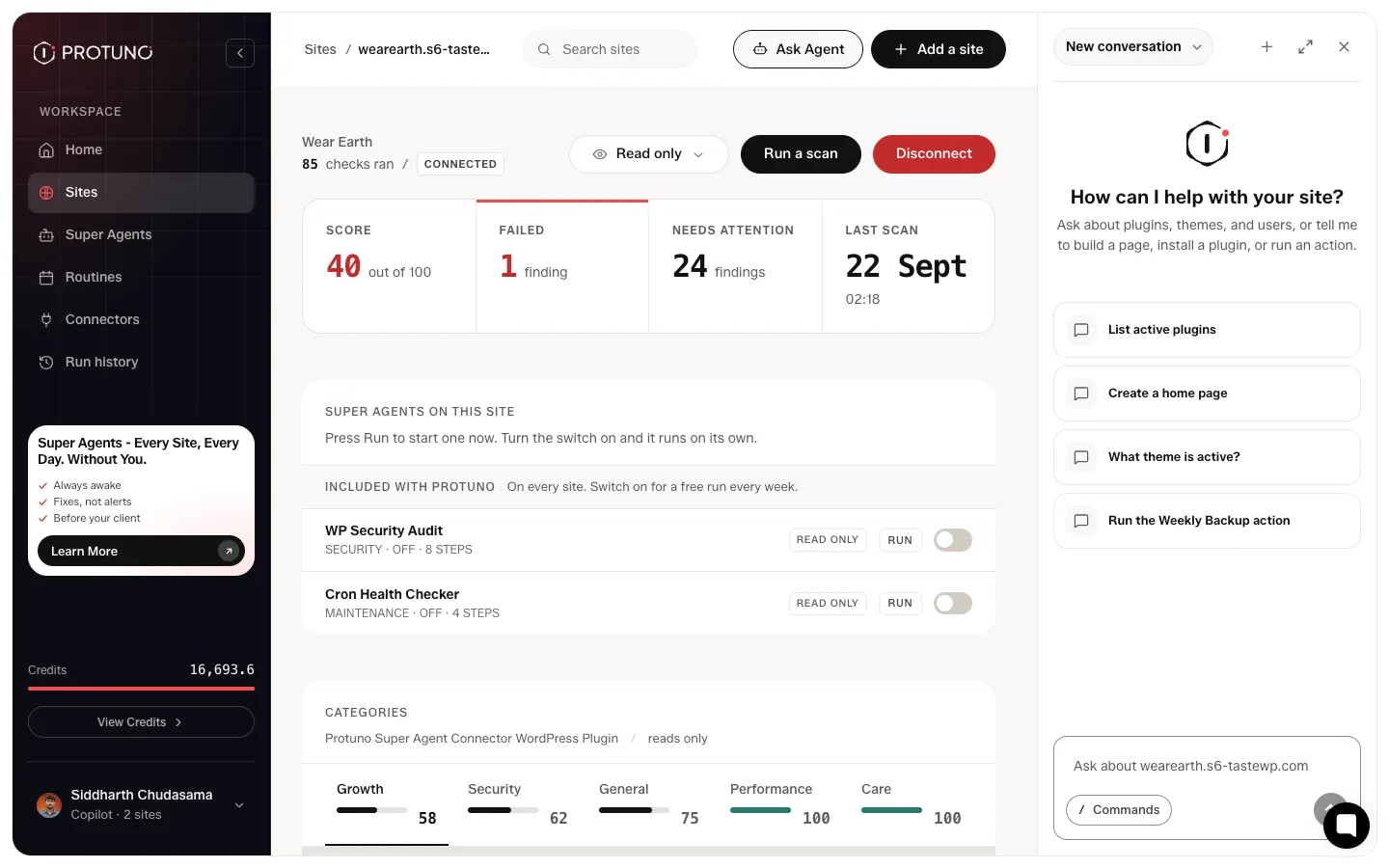
What Ask Agent can do
- Explaining a finding. Open it from a finding and it already knows which one you mean.
- Investigating. Ask it to look into something and it runs a series of reads against the site, then comes back with a root cause rather than a guess. The steps it took are there to expand.
- Saying what it could not check. The most useful line in those answers is usually the “Could not check” one at the end.
- Fixes that live outside WordPress. For a DNS record it gives the exact value, asks which provider you use, and offers to verify once you say it is done.
Slash commands
Typing / opens a list of direct commands, for example listing every plugin on the site. They are shortcuts to a read, not a different set of powers.
The menu is permission-gated, so a restricted role will not see it.
How Read only changes what Ask Agent will do
If the site is set to Read only, Ask Agent will plan a fix, tell you exactly what it would do, then say plainly that nothing was changed. Applying is a separate, approved step. This is the part of Protuno where you are asked before anything happens.
What a conversation costs
Conversations are charged as tokens against your credit balance and appear in the usage history the same as a playbook run, so you can see what a conversation cost.
Not live yet: the workspace-wide agent
The workspace-wide version is not live. The box on the Home screen that asks about every site at once is marked coming soon. Today Ask Agent answers about one site at a time.
Where to go next
- Read your site report, for the findings you will be asking about.
- What Protuno costs.
Comments