WooCommerce Checkout Monitoring: An Uptime Check Cannot See This.
We broke a store’s checkout and left the homepage untouched. Every uptime check stayed green while the store could not take a single payment.

Short answer: proper woocommerce checkout monitoring means holding a session, putting a real product in the cart, and loading the checkout page. A monitor that requests the homepage, or even /checkout/ on an empty cart, will report a healthy store through an outage that stops every payment.
I wanted to know exactly how invisible this failure is, so I built a store and broke it on purpose, then rebuilt and broke a second one later to see whether a newer checkout changed the answer.
The test
A WooCommerce install, one real product, a fatal error on the checkout template and nowhere else. That is not an exotic scenario. It is what a bad plugin update looks like on a Tuesday.
The store itself is deliberately ordinary in every respect. One product, published, purchasable:
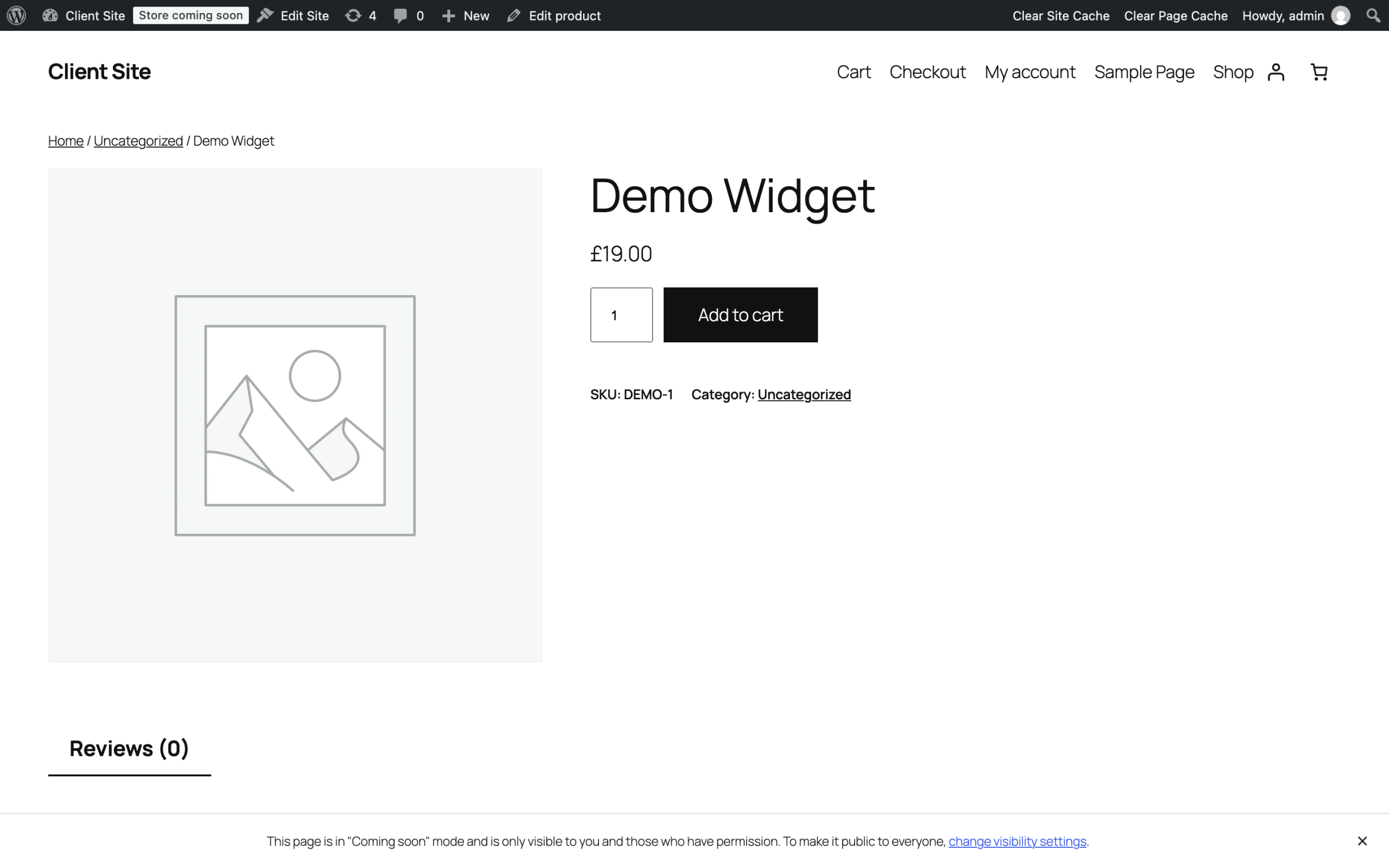
archive, but a real product that a real customer could put in a basket.*
Then I probed it the way an external monitor does.
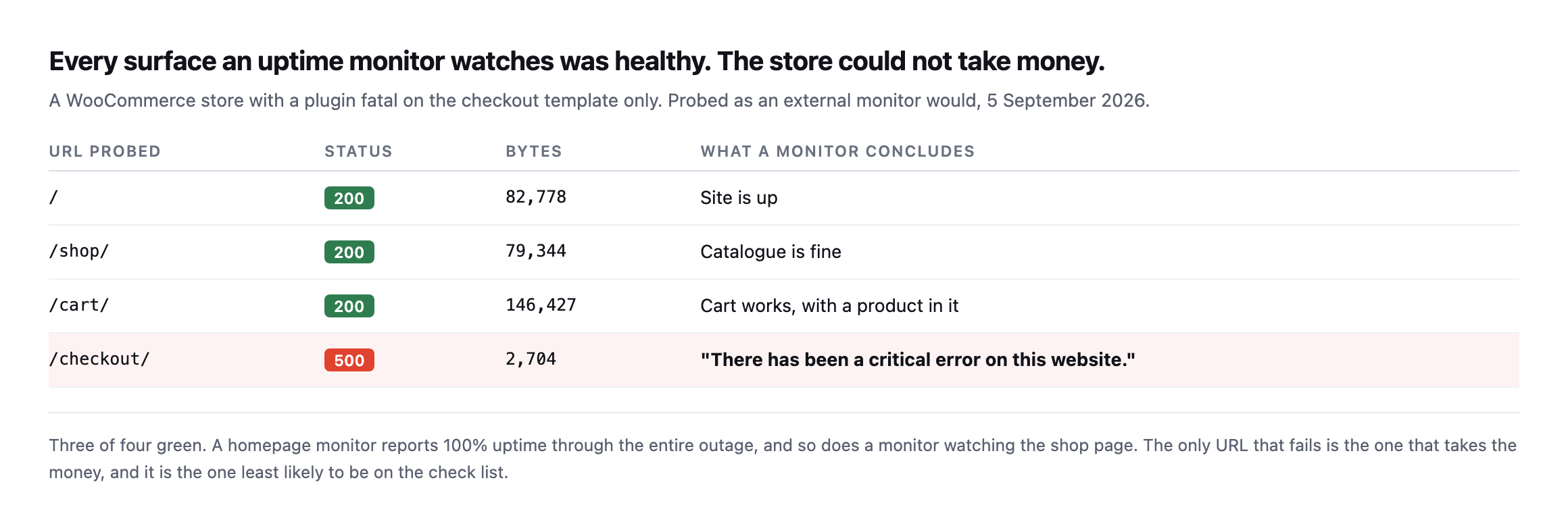
entire outage. So does one watching the shop page, and so does one watching the cart.*
| URL probed | Status | Bytes | What a monitor concludes |
|---|---|---|---|
/ | 200 | 82,778 | site is up |
/shop/ | 200 | 79,344 | catalogue is fine |
/cart/ | 200 | 146,427 | cart works, with a product in it |
/checkout/ | 500 | 2,704 | the only row that tells the truth |
Caveat: this is one store, one fault injected on purpose. It is not a claim about how often checkouts break this way in the wild. It is a demonstration that a monitor watching three pages can be 100% green while the fourth, the one that takes the money, is down.
Here is what that checkout page actually served:
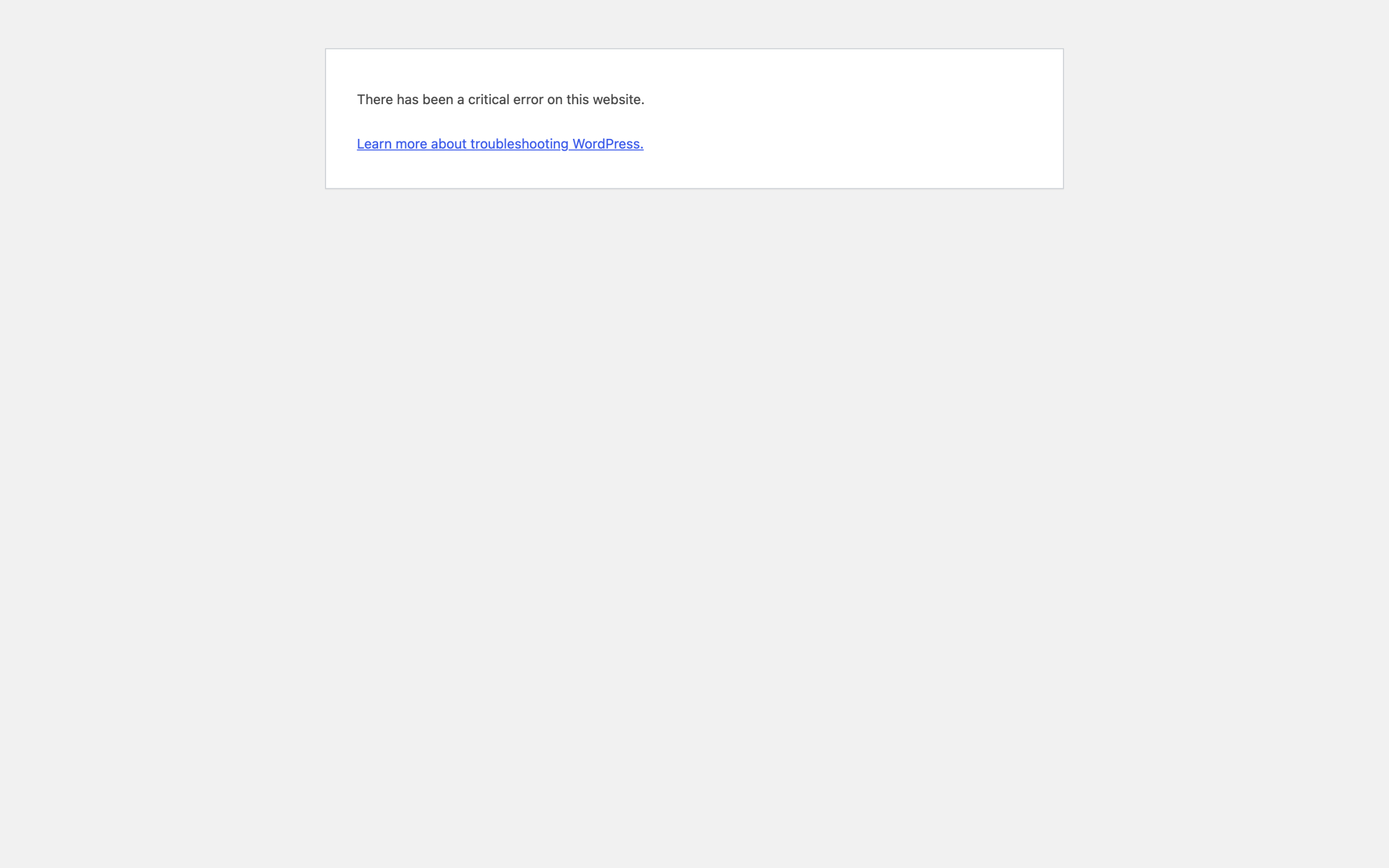
customer to continue. Anybody who reached this point had already chosen to buy something.*
The store was genuinely up. The catalogue browsed perfectly fine. The cart worked correctly with a product in it.
The actual business, the part that earns money, was completely down.
The trap in checking /checkout/
The obvious fix is to add the checkout URL to your monitor. It does not work, and this is the part I did not expect to be so clean.
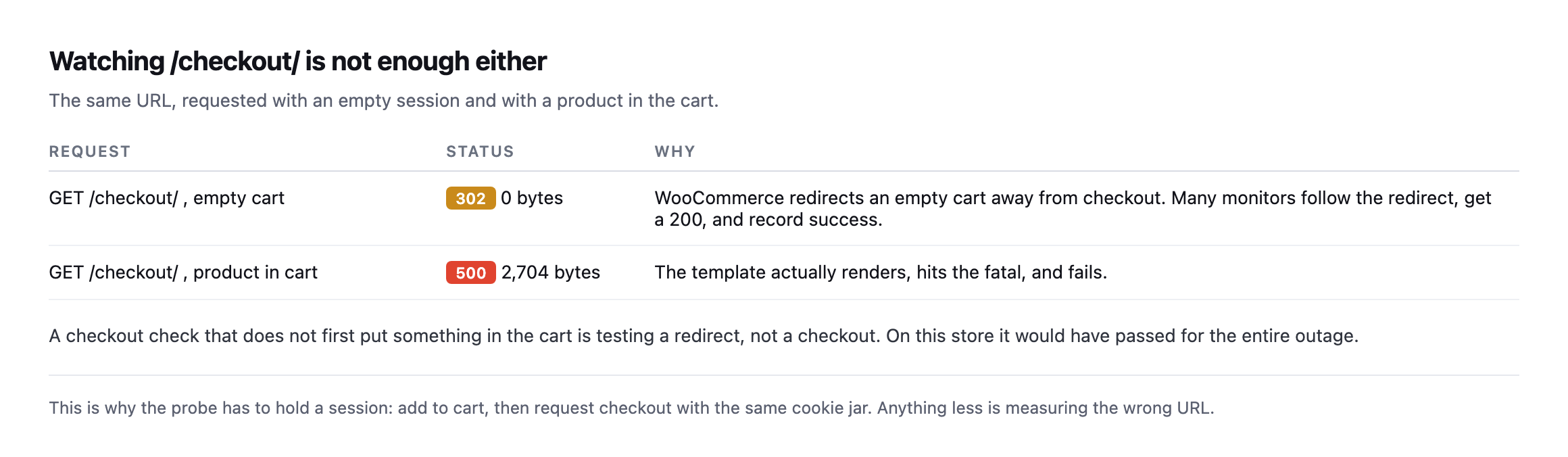
the redirect, land on a 200, and record a pass. On this store, a checkout monitor configured the obvious way would have stayed green through the whole failure.*
| Request | Status | Why |
|---|---|---|
GET /checkout/, empty cart | 302, 0 bytes | WooCommerce redirects an empty cart away; a monitor that follows the redirect records a 200 |
GET /checkout/, product in cart | 500, 2,704 bytes | the template actually renders, hits the fatal, and fails |
A checkout check performed without a real cart behind it is nothing more than a redirect check in disguise.
The empty-cart redirect trap does not reproduce on a newer checkout
I re-tested the empty-cart behaviour this post describes against a different, more current WooCommerce install, block-based checkout rather than the classic shortcode version this test originally used, and the specific trap did not reproduce the same way.
curl -s -c jar -b jar -o /dev/null -w '%{http_code}\n' http://example.com/checkout/200No 302. The block-based checkout page answers directly with a 200 on an empty cart, and reading the response shows an empty-cart notice rendered in place rather than a redirect away from the page entirely. That is a real, verified architectural difference from the classic checkout this post’s original test found, and it changes which specific monitoring mistake a team needs to guard against: on a block-checkout store, requesting /checkout/ with no cart will not silently pass as a 200 for the wrong reason, a followed redirect, but it can still pass as a 200 for a different wrong reason, an empty-cart page that renders correctly and proves nothing about whether checkout works with an actual order in it.
The lesson this post already teaches is not weakened by the mechanism changing. It is the same lesson, applied to a different specific failure: a bare status code from /checkout/, whatever the exact reason behind it, tells you the page responded and nothing about whether a real customer could complete a purchase. The fix is identical either way, hold a session, add a real product, load checkout with an actual cart behind it, and assert on content rather than status. What changes is only which wrong assumption a monitor built against the wrong checkout architecture is likely to make.
I also found isolating a checkout-only fatal harder to reproduce than the homepage-stays-up scenario this post describes, worth reporting honestly rather than glossing over. Corrupting the specific PHP class that renders the block checkout broke the entire site, homepage included, because WooCommerce’s block registration loads that class on every page request regardless of which page is being rendered, not only on checkout itself. The isolated, checkout-only failure this post demonstrates is real and does happen, most commonly from a logic bug, a broken gateway integration, or a JavaScript error specific to the checkout flow, rather than from a PHP fatal in a file that turns out to be loaded everywhere. Both failure shapes are worth monitoring for. They are not the same failure, and assuming a checkout outage will always leave the rest of the site untouched is its own smaller version of the mistake this whole post argues against.
What WooCommerce checkout monitoring has to do instead
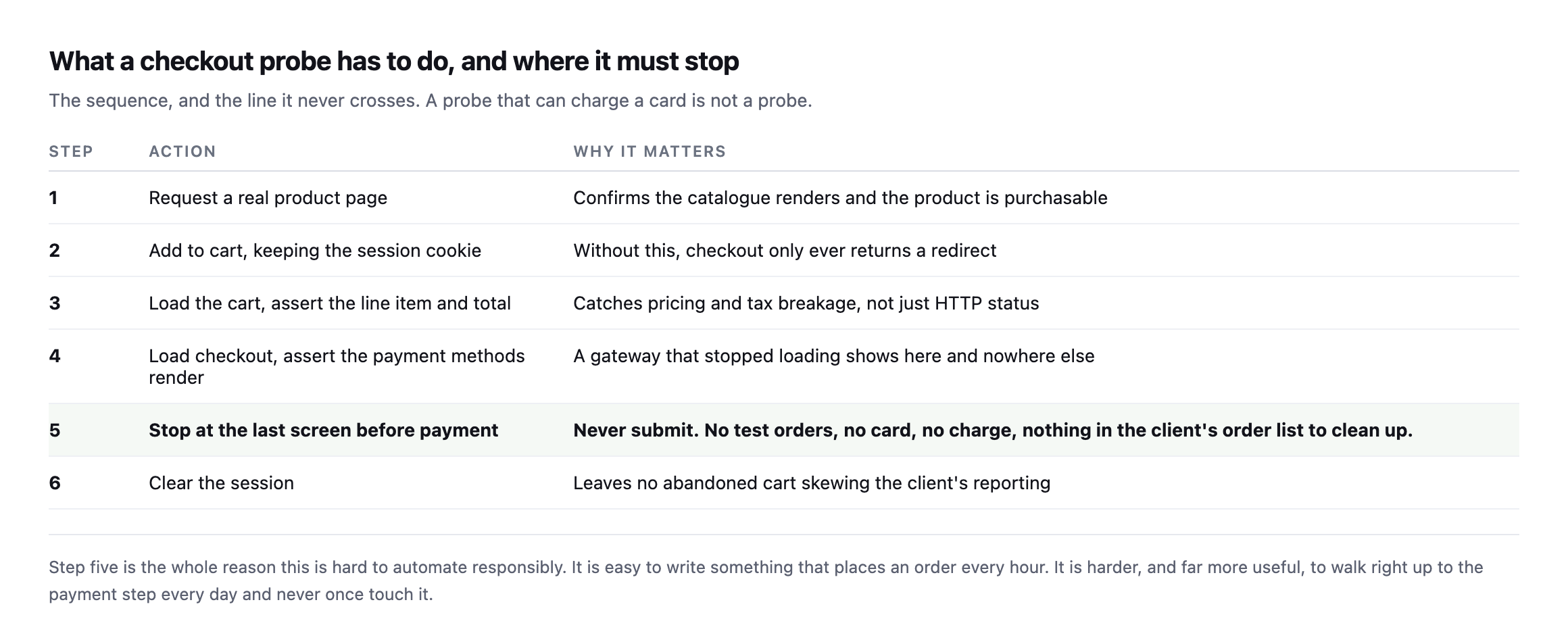
places an order every hour is easy. Walking to the payment step every day and never touching it is the useful version.*
| # | Action | Why it matters |
|---|---|---|
| 1 | request a real product page | confirms the catalogue renders and the product is purchasable |
| 2 | add to cart, keeping the session cookie | without this, checkout only ever returns a redirect |
| 3 | load the cart, assert the line item and total | catches pricing and tax breakage, not just HTTP status |
| 4 | load checkout, assert payment methods render | a gateway that stopped loading shows here and nowhere else |
| 5 | stop at the last screen before payment | never submit; no test orders, nothing to clean up in the client’s order list |
| 6 | clear the session | leaves no abandoned cart skewing the client’s reporting |
Two details from building this that are easy to get wrong.
Assert on content, not status. A checkout page can return 200 and still be broken: no payment methods rendered, a JavaScript error that stops the place-order button, a shipping calculator that fails silently. Check that a payment method is actually present in the HTML.
This is the same lesson as reading a cache header: a status code describes the transport, not whether the thing the customer needs is on the page. Configuration and status both lie in the same direction, which is why the only checks worth trusting are the ones that observe behaviour.
Run it from outside, on a schedule you did not choose. A probe that only runs when you remember to run it is a probe that will be green the day it matters. Ours runs daily because the failure it catches is measured in trading hours, not in days.
Keep the session, then throw it away. The probe needs a cookie jar to hold the cart, and it needs to discard it afterwards, or you will fill your client’s reports with abandoned carts that were never real customers.
What to watch, in order of what it costs you
If you only add one check to a store, add the one that holds a cart and loads checkout.
After that, in the order I would add them:
- Payment methods present in the checkout HTML. Catches a gateway that stopped loading
while the page still returns 200.
- The cart total matches the product price. Catches tax and currency misconfiguration after
a settings change or a migration.
- Order rate against its own baseline. A store that normally takes 40 orders a day and has
taken 2 since 09:00 is telling you something no status code will.
- The
add-to-cartpath itself. If adding to cart fails, everything downstream reports fine
because nobody ever gets there.
Why stores get this wrong
Not carelessness. Checkout is the hardest thing on the site to monitor honestly, because testing it properly means simulating a customer, and simulating a customer badly means placing real orders in a real system.
So most agencies watch the homepage, which is trivial to check and tells you almost nothing about whether the store works. It is the cheapest check available, which is exactly why it is the one that gets set up, and exactly why it is the one that misses this.
There is a second reason, and it is the one I have more sympathy for. Checkout monitoring is work that only ever proves a negative. When it passes, there is nothing to show a client, so it competes for attention against work that produces something visible. That is the unbilled half hour again, in its most expensive form: the check nobody schedules, guarding the page that carries the revenue.
The gap between those two is measured in hours of lost trading, and it is the same shape as the scheduled jobs that quietly stop: no alert, no error anyone sees, and a customer eventually tells you.
This is what Till, Protuno’s eCommerce agent, is built to do. It walks one of your real products to the payment step every day and stops at the last screen before it charges. Being straight with you, as on every post here: Till is built and named but not live yet.
The free audit does check today, from the domain alone, whether a storefront is detected, whether the cart and checkout addresses answer, and whether they are being cached when they should not be. That last one costs real money on its own, and it is worth understanding separately.
If you look after a store, do the manual version this week. Add a product, load checkout, and look at it. Not the status code. The page.
Do it against the specific checkout your store actually runs, classic or block, rather than assume either architecture’s failure modes apply universally. The two behave differently enough, confirmed directly in this post’s own re-testing, that a monitoring script written against one can miss the exact failure it was built to catch on the other, quietly, for as long as nobody checks which kind of checkout is actually running underneath the monitor.
Comments